


Hi, when I'm using Virtual Dj on my brand new Macbook Air M4 gets really hot and battery goes to 0% like in 2 hours.. why is this happening ? it doesn't matter if use default skin or others ....
Posted Wed 15 Oct 25 @ 6:05 pm
 kradcliffe
Something not right there, my one runs forever with VDJ.
Posted Wed 15 Oct 25 @ 6:30 pm
 djjohnnyrox
Start vdj Open activity monitor and post screenshot of the cpu usage Let's see what's using resources
Posted Wed 15 Oct 25 @ 11:26 pm
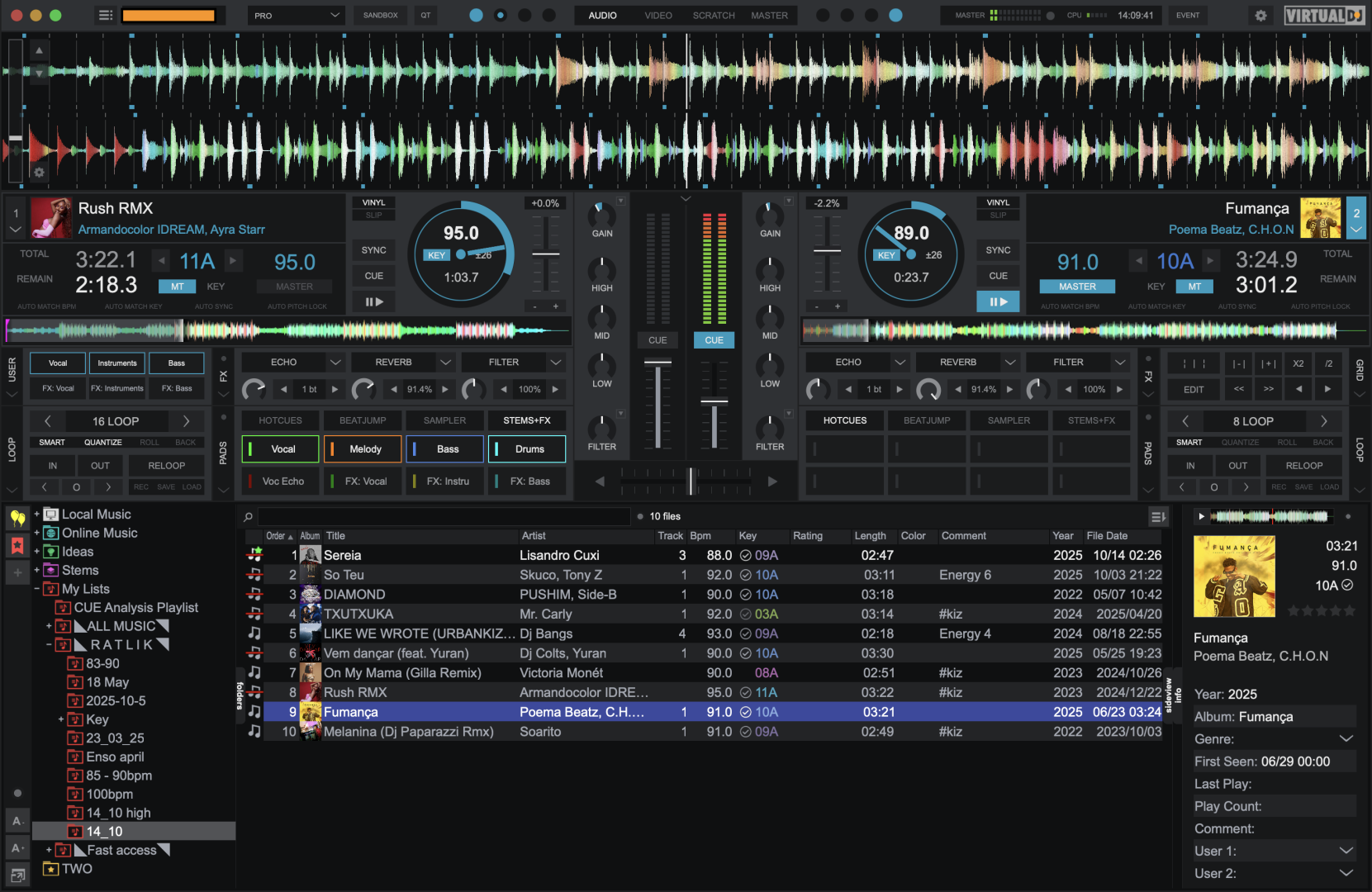
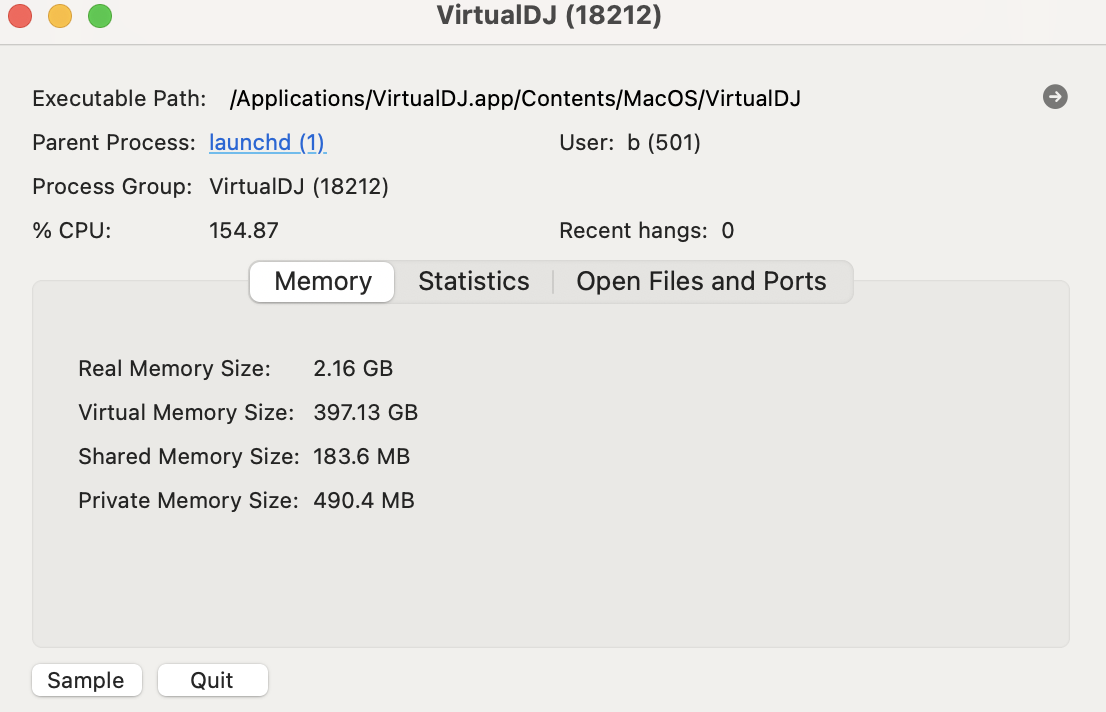
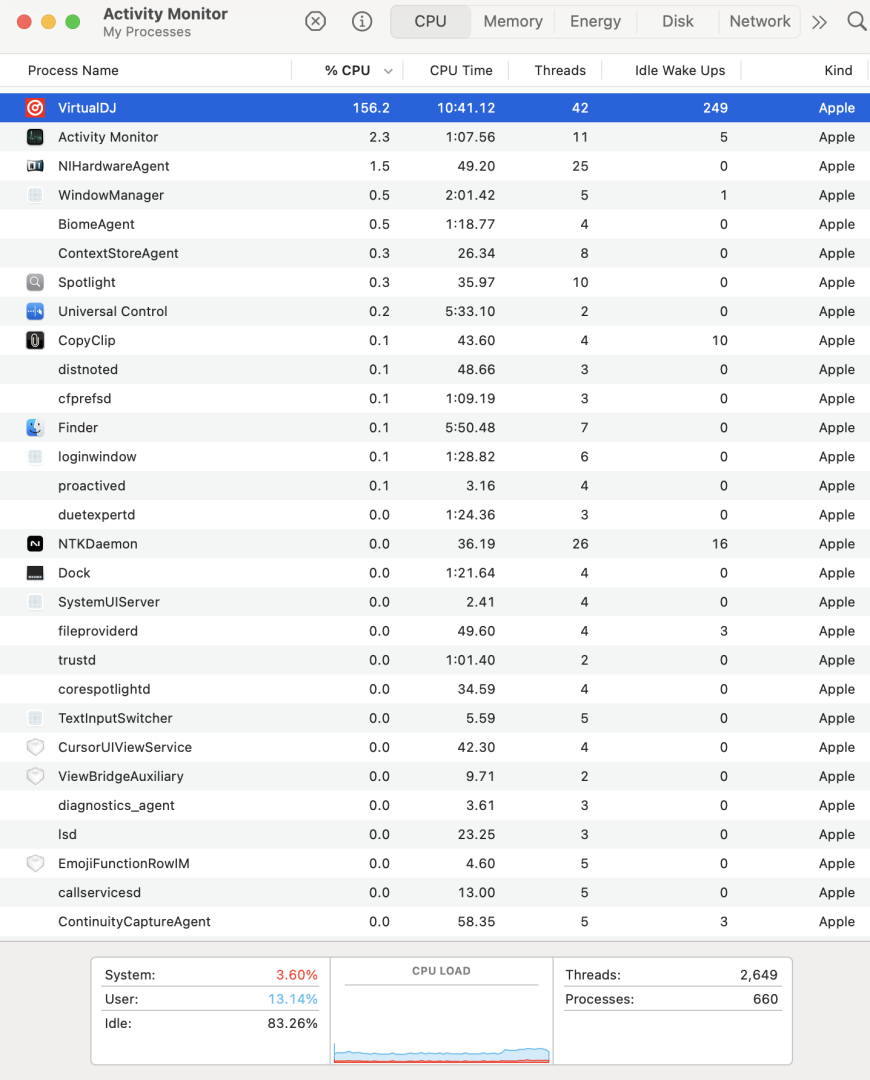
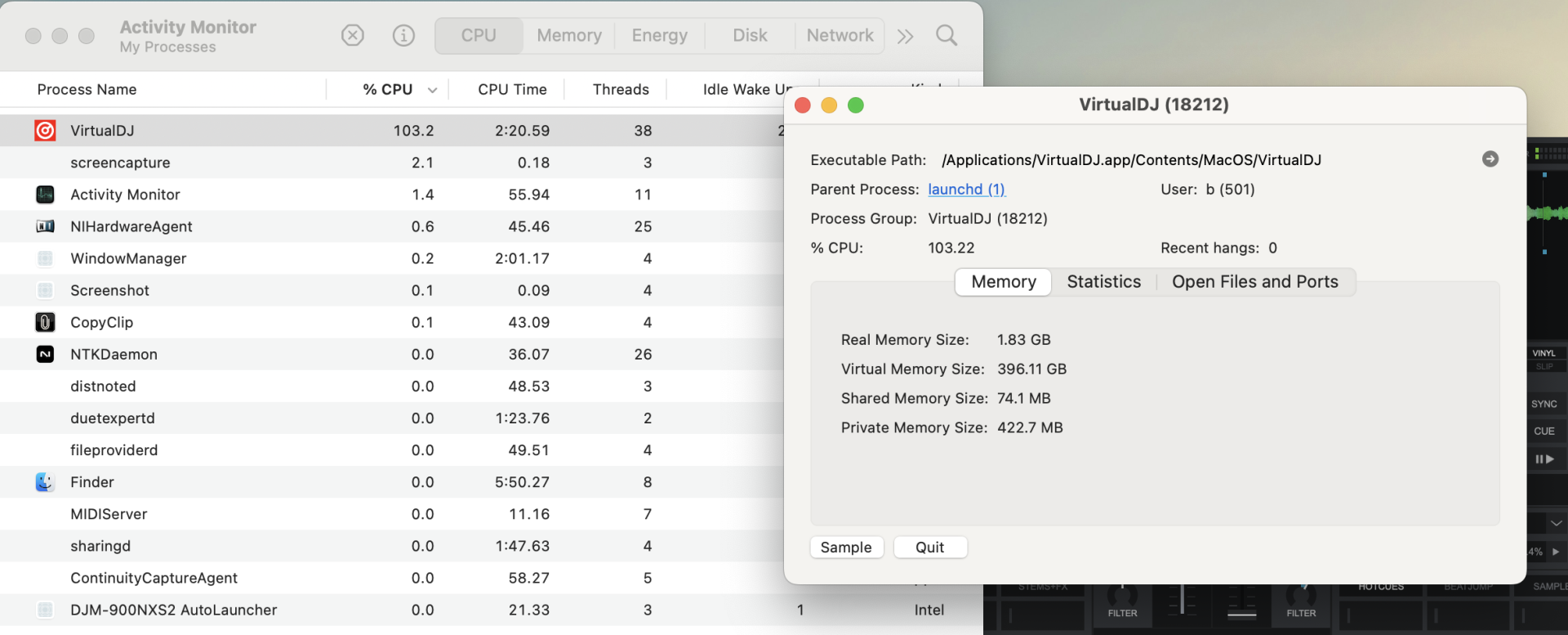
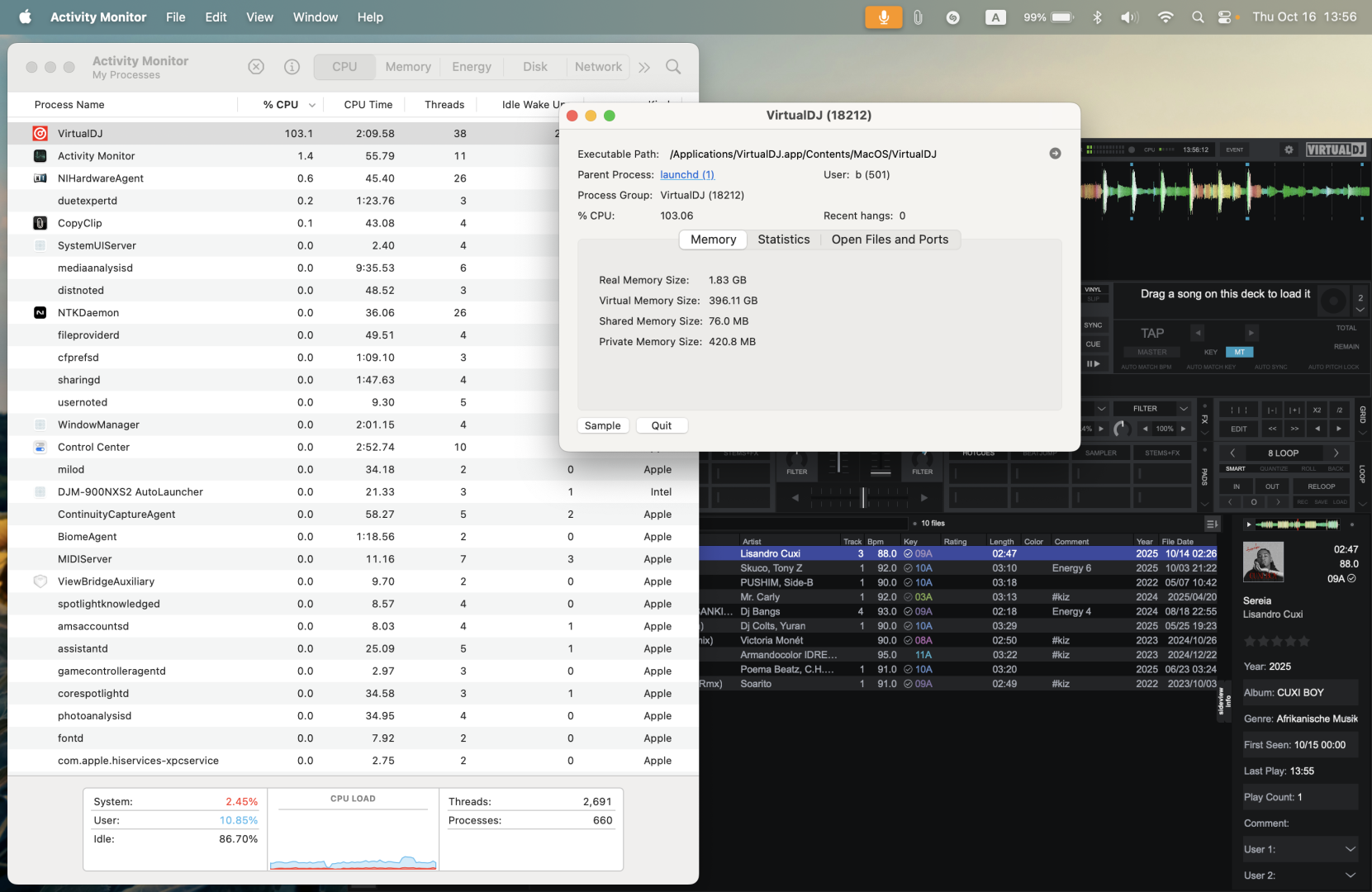
Posted Thu 16 Oct 25 @ 6:13 am
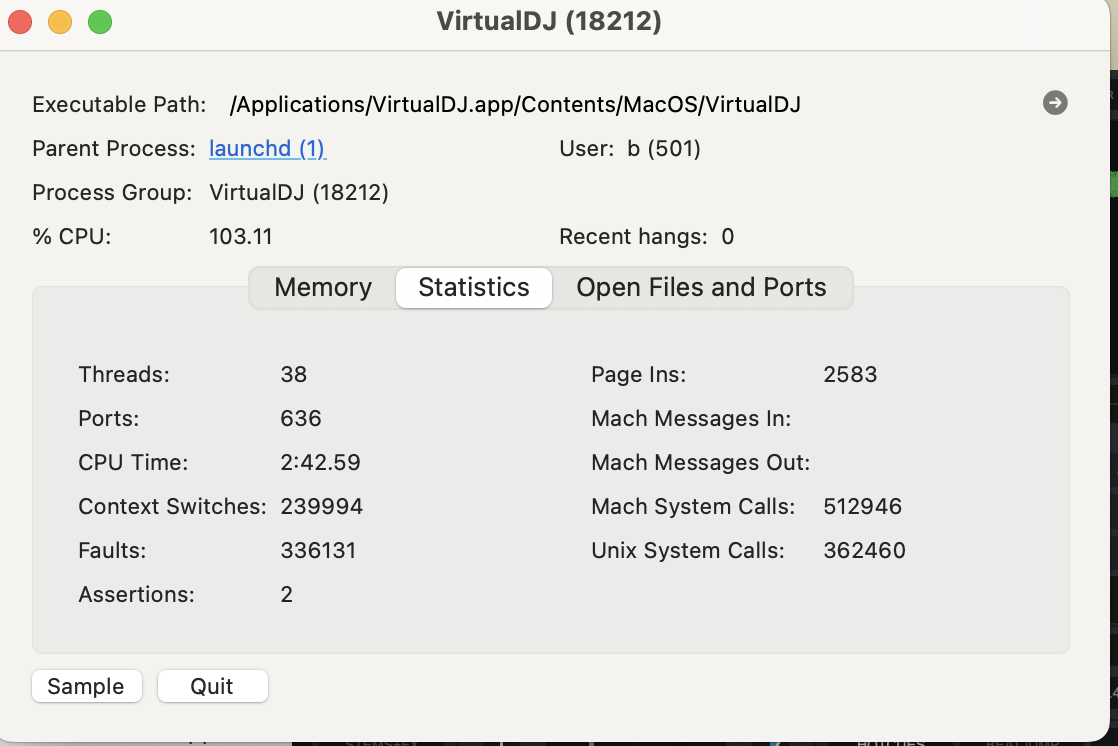
Posted Thu 16 Oct 25 @ 6:15 am
Adion
Since you seem to be using a third party skin, you can try to set experimentalSkinEngine to yes
Posted Thu 16 Oct 25 @ 6:54 am
Adion wrote :
Since you seem to be using a third party skin, you can try to set experimentalSkinEngine to yes
still the same... hot and battery drain unchanged :(
Posted Thu 16 Oct 25 @ 10:56 am
 the SOUND INSURGENT
Take the Macbook back.
I just did a gig a few weeks ago and forgot my charger cable. Ran VDJ with SRT1000 for 2 1/2 hours and still had 40% battery left when I was done and this gig was outside.
I just did a gig a few weeks ago and forgot my charger cable. Ran VDJ with SRT1000 for 2 1/2 hours and still had 40% battery left when I was done and this gig was outside.
Posted Thu 16 Oct 25 @ 2:39 pm
 DJ VinylTouch
- What's your skin FPS?
- Are you doing any analysis of songs in the background?
- Do you happen to have large folders with unanalyzed tracks and analyzeSongsOnView enabled?
- Do you have any file modification date type columns enabled in the browser? (Devs said those cause disk accesses as they aren't stored in the database).
Switch anything you know that can cause extra background processing off. Maybe even disable realtime stems and see if the situation improves.
Posted Thu 16 Oct 25 @ 2:52 pm
Adion
Which controller do you have connected, and does it change when the controller is not connected?
Posted Thu 16 Oct 25 @ 3:08 pm
kradcliffe
Just tested on battery with FLX10 connected and all well at this end. Must be something specific in your setup.
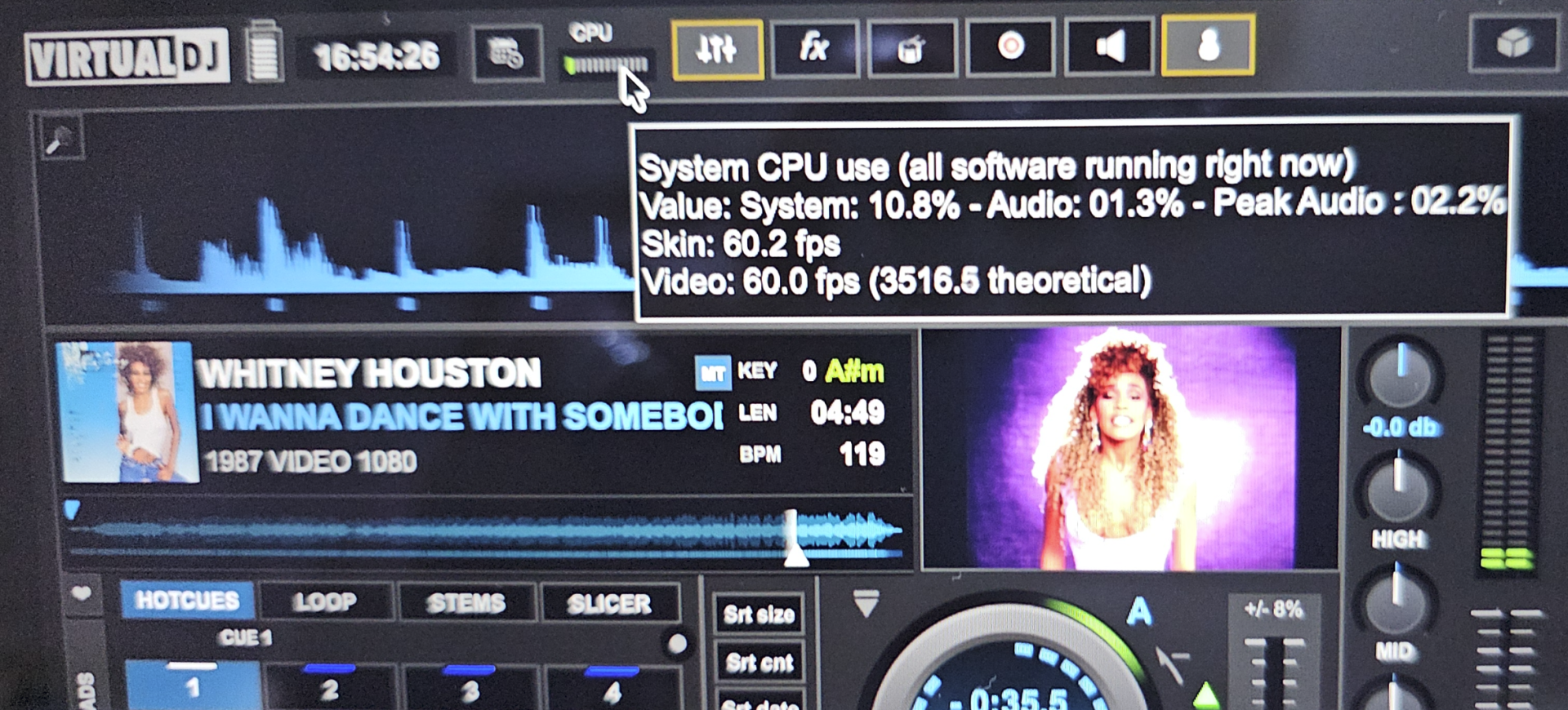
Posted Thu 16 Oct 25 @ 4:03 pm
I also use Rekordbox, Djay, Traktor on my mac, i dont have any problems with other softwares except Rekordbox gets little hot when loading song and start analyzing stems.. other that my battery last around 10 hours..
I don't understand whats wrong with my Virtual DJ.
| Skin FPS 30
| Already analyzed all songs, it will analyze stems each time loading a song (thats normal right?)
| No unanalyzed large folder and disabled "analyzeSongsOnView"
| I have enabled "year" and "date added" "track number" and few other column as you can see from screenshot, I have all the metadata for every songs in my library
One thing I noticed, on top of my existing heat & battery drain issue, it even gets worst when i plug my controller (Traktor S5, DC powerd)
and open "setting" when controller unplug... its still kinda hot even just VDJ stays open..
Please save me from this disaster please.. i can't use VDJ on the gig because I'm having trauma
I don't understand whats wrong with my Virtual DJ.
DJ VinylTouch wrote :
Switch anything you know that can cause extra background processing off. Maybe even disable realtime stems and see if the situation improves.
- What's your skin FPS?
- Are you doing any analysis of songs in the background?
- Do you happen to have large folders with unanalyzed tracks and analyzeSongsOnView enabled?
- Do you have any file modification date type columns enabled in the browser? (Devs said those cause disk accesses as they aren't stored in the database).
Switch anything you know that can cause extra background processing off. Maybe even disable realtime stems and see if the situation improves.
| Skin FPS 30
| Already analyzed all songs, it will analyze stems each time loading a song (thats normal right?)
| No unanalyzed large folder and disabled "analyzeSongsOnView"
| I have enabled "year" and "date added" "track number" and few other column as you can see from screenshot, I have all the metadata for every songs in my library
One thing I noticed, on top of my existing heat & battery drain issue, it even gets worst when i plug my controller (Traktor S5, DC powerd)
and open "setting" when controller unplug... its still kinda hot even just VDJ stays open..
Please save me from this disaster please.. i can't use VDJ on the gig because I'm having trauma
Posted Thu 16 Oct 25 @ 7:11 pm
djjohnnyrox
Wow..... I would do a backup of VDJ store the backup on a flash drive . Delete VDJ from your computer with a program like app cleaner Which removes all traces of the program. Do a fresh install of VDJ Try using it before you restore the back up See if that changes the cpu usage
Posted Fri 17 Oct 25 @ 2:34 am
I'm new to VDJ, how do I properly backup?
I did a lot of customization in settings, and also mapped the controller, changed skin settings, will all of that can be backed up?
I did a lot of customization in settings, and also mapped the controller, changed skin settings, will all of that can be backed up?
Posted Fri 17 Oct 25 @ 7:13 pm
djjohnnyrox
Posted Fri 17 Oct 25 @ 11:51 pm
I found the problem.
My version of VDJ was downloaded from the official website instead of the App Store, because the screens on Traktor S5, S8, and D2 don’t work when the App Store version is used. The software runs, but the screens don’t function properly.
What should I do now?
I recently switched to VirtualDJ, hoping it would fully support my Traktor controllers. I really like Traktor hardwares, but in my opinion, Traktor’s software has been on the decline.
Unfortunately, I’m also running into issues on VDJ. Will the App Store version of VirtualDJ support these controllers properly in a future update? I understand the S5 was added recently, but the S8 and D2 have been supported for quite some time why are screen-related features still not working on App store version?
My version of VDJ was downloaded from the official website instead of the App Store, because the screens on Traktor S5, S8, and D2 don’t work when the App Store version is used. The software runs, but the screens don’t function properly.
What should I do now?
I recently switched to VirtualDJ, hoping it would fully support my Traktor controllers. I really like Traktor hardwares, but in my opinion, Traktor’s software has been on the decline.
Unfortunately, I’m also running into issues on VDJ. Will the App Store version of VirtualDJ support these controllers properly in a future update? I understand the S5 was added recently, but the S8 and D2 have been supported for quite some time why are screen-related features still not working on App store version?
Posted Sat 18 Oct 25 @ 9:13 pm
DJ VinylTouch
You are talking about a different problem here (Traktor Kontrol screens not working) and you should probably create different post for that.
As for the original problem (MacBook overheating) - did you try what @Adion (one of the devs) said?
As for the original problem (MacBook overheating) - did you try what @Adion (one of the devs) said?
Adion wrote :
Which controller do you have connected, and does it change when the controller is not connected?
Posted Sun 19 Oct 25 @ 12:20 am
Sorry I should be more specific. this is still relevant.
Problem is this:
VDJ App store version: No overheats & no battery drain issue, but Traktor S5, S8, D2 screens won't work.
VDJ Web version: Screens works but overheats & battery drains.
I connected Traktor S5, it does get better when not connected to controller on the Web version, but as compared to App store version is a lot of difference.
Problem is this:
VDJ App store version: No overheats & no battery drain issue, but Traktor S5, S8, D2 screens won't work.
VDJ Web version: Screens works but overheats & battery drains.
I connected Traktor S5, it does get better when not connected to controller on the Web version, but as compared to App store version is a lot of difference.
Posted Sun 19 Oct 25 @ 5:36 am
Adion
There should be no difference in cpu usage between the app store version and the version downloaded here.
You could try to reset settings to see if there's any setting that has been changed that might explain the difference.
The app store version can't support the traktor screens no.
You could try to reset settings to see if there's any setting that has been changed that might explain the difference.
The app store version can't support the traktor screens no.
Posted Sun 19 Oct 25 @ 6:22 am
I did uninstalled VDJ completely from my mac, and tested both version, didn't change any setting from fresh.
Installed new
log in to my account
analyzed music folder
that's all
This is the results:
VDJ App store version: No overheats & no battery drain issue, but Traktor S5, S8, D2 screens won't work.
VDJ Web version: Screens works but overheats & battery drains.
Installed new
log in to my account
analyzed music folder
that's all
This is the results:
VDJ App store version: No overheats & no battery drain issue, but Traktor S5, S8, D2 screens won't work.
VDJ Web version: Screens works but overheats & battery drains.
Posted Sun 19 Oct 25 @ 7:45 am
