


Anyone know how to solve this?
Posted Wed 22 Oct 25 @ 6:52 am
 PhantomDeejay
It seems to be related to your Controller.
So, can you confirm ?
Try to use WEB version without the controller connected.
Do you still have this issue ?
So, can you confirm ?
Try to use WEB version without the controller connected.
Do you still have this issue ?
Posted Wed 22 Oct 25 @ 7:32 am
PhantomDeejay wrote :
It seems to be related to your Controller.
So, can you confirm ?
Try to use WEB version without the controller connected.
Do you still have this issue ?
So, can you confirm ?
Try to use WEB version without the controller connected.
Do you still have this issue ?
Yes, confirm this, I tested both multiple times.
and Web version gets hot & battery drains without controller plugged in.
also tried with 5V and 100W powered USB hubs, thought controller is drawing power from Mac, no difference, I really out of solution...
Posted Wed 22 Oct 25 @ 2:56 pm
 kradcliffe
First try renaming your settings.xml file (with VDJ closed) to see if that makes a difference.
Next would be a full uninstall and reinstall of VDJ (use a 3rd party solution that removes apps completely)
After that I would try resetting MacOS and try a fresh install.
Next would be a full uninstall and reinstall of VDJ (use a 3rd party solution that removes apps completely)
After that I would try resetting MacOS and try a fresh install.
Posted Wed 22 Oct 25 @ 3:18 pm
 djdad
djdad
What about when running your Mac on AC plug ? Does it still get overheated ?
What App do you use to check the temperature ?
I just finished a 1h test on my Air M1 8GB OS 26.01 along with Traktor S8, temperature never went above 45C, total CPU usage (when not calculating Stems) was like 20% and VDJ was running smooth including the S8 screens.
What App do you use to check the temperature ?
I just finished a 1h test on my Air M1 8GB OS 26.01 along with Traktor S8, temperature never went above 45C, total CPU usage (when not calculating Stems) was like 20% and VDJ was running smooth including the S8 screens.
Posted Wed 22 Oct 25 @ 8:10 pm
kradcliffe wrote :
First try renaming your settings.xml file (with VDJ closed) to see if that makes a difference.
Next would be a full uninstall and reinstall of VDJ (use a 3rd party solution that removes apps completely)
After that I would try resetting MacOS and try a fresh install.
Next would be a full uninstall and reinstall of VDJ (use a 3rd party solution that removes apps completely)
After that I would try resetting MacOS and try a fresh install.
Just tried renaming settings.xml, same thing....
I use Appcleaner to uninstall
djdad wrote :
What about when running your Mac on AC plug ? Does it still get overheated ?
What App do you use to check the temperature ?
What App do you use to check the temperature ?
Yes still overheats.. i didnt use any software for checking temperature, just touch by hand mac itself is quite hot...
My experience with VDJ has been frustrating. At this point, I feel like getting rid of all my Traktor gear and buying something that works with Djay.
I bought the VDJ Pro license thinking I could use my Traktor setup, as I was already disappointed with Traktor and wanted to switch. But my S8 screen stop working on my old Mac M1 (I must've updated VDJ in app store) , I searched all over the internet, upgraded, downgraded macOS, nothing worked, I even went so far as to buy a new Mac M4, not knowing that the app version didn’t support Traktor screens. and finally found out from you guys that only the web version works.
And now, I’m facing another issue, I don't know how to solve this, only thing left to do is factory reset my mac.... There’s nothing wrong with the laptop, its brand new, everything else works perfectly. Why does this have to be so difficult? It’s honestly quite disheartening for me, and i have gig tomorrow, i dont have other controller with me other than Traktor S5, S8, D2, X1MK3, S4MK3 currently ... my library is big mess ....
Posted Wed 22 Oct 25 @ 9:18 pm
kradcliffe
It is an isolated incident however with MacOS specifically and Traktor controllers. The team are however trying to help you find a solution.
I ran my Macbook Air M4 with the MCX8000 and video out for 6 hours earlier and no issues at all. Laptop was still cool and CPU around 16% with everything running. RAM was 60% because VDJ takes up 4 to 5gb but then the laptop only has 16gb total.
It maybe needs to be made clearer however that the App Store version is restricted for security reasons, or maybe when it's first started a prompt comes up to download the proper version direct from Atomix.
I ran my Macbook Air M4 with the MCX8000 and video out for 6 hours earlier and no issues at all. Laptop was still cool and CPU around 16% with everything running. RAM was 60% because VDJ takes up 4 to 5gb but then the laptop only has 16gb total.
It maybe needs to be made clearer however that the App Store version is restricted for security reasons, or maybe when it's first started a prompt comes up to download the proper version direct from Atomix.
Posted Wed 22 Oct 25 @ 9:28 pm
 djjohnnyrox
Are you using your custom skin Or the default skin ?
Posted Wed 22 Oct 25 @ 10:38 pm
kradcliffe wrote :
It is an isolated incident however with MacOS specifically and Traktor controllers. The team are however trying to help you find a solution.
I ran my Macbook Air M4 with the MCX8000 and video out for 6 hours earlier and no issues at all. Laptop was still cool and CPU around 16% with everything running. RAM was 60% because VDJ takes up 4 to 5gb but then the laptop only has 16gb total.
It maybe needs to be made clearer however that the App Store version is restricted for security reasons, or maybe when it's first started a prompt comes up to download the proper version direct from Atomix.
I ran my Macbook Air M4 with the MCX8000 and video out for 6 hours earlier and no issues at all. Laptop was still cool and CPU around 16% with everything running. RAM was 60% because VDJ takes up 4 to 5gb but then the laptop only has 16gb total.
It maybe needs to be made clearer however that the App Store version is restricted for security reasons, or maybe when it's first started a prompt comes up to download the proper version direct from Atomix.
I understand...appreciate the help, I know they are helping
djjohnnyrox wrote :
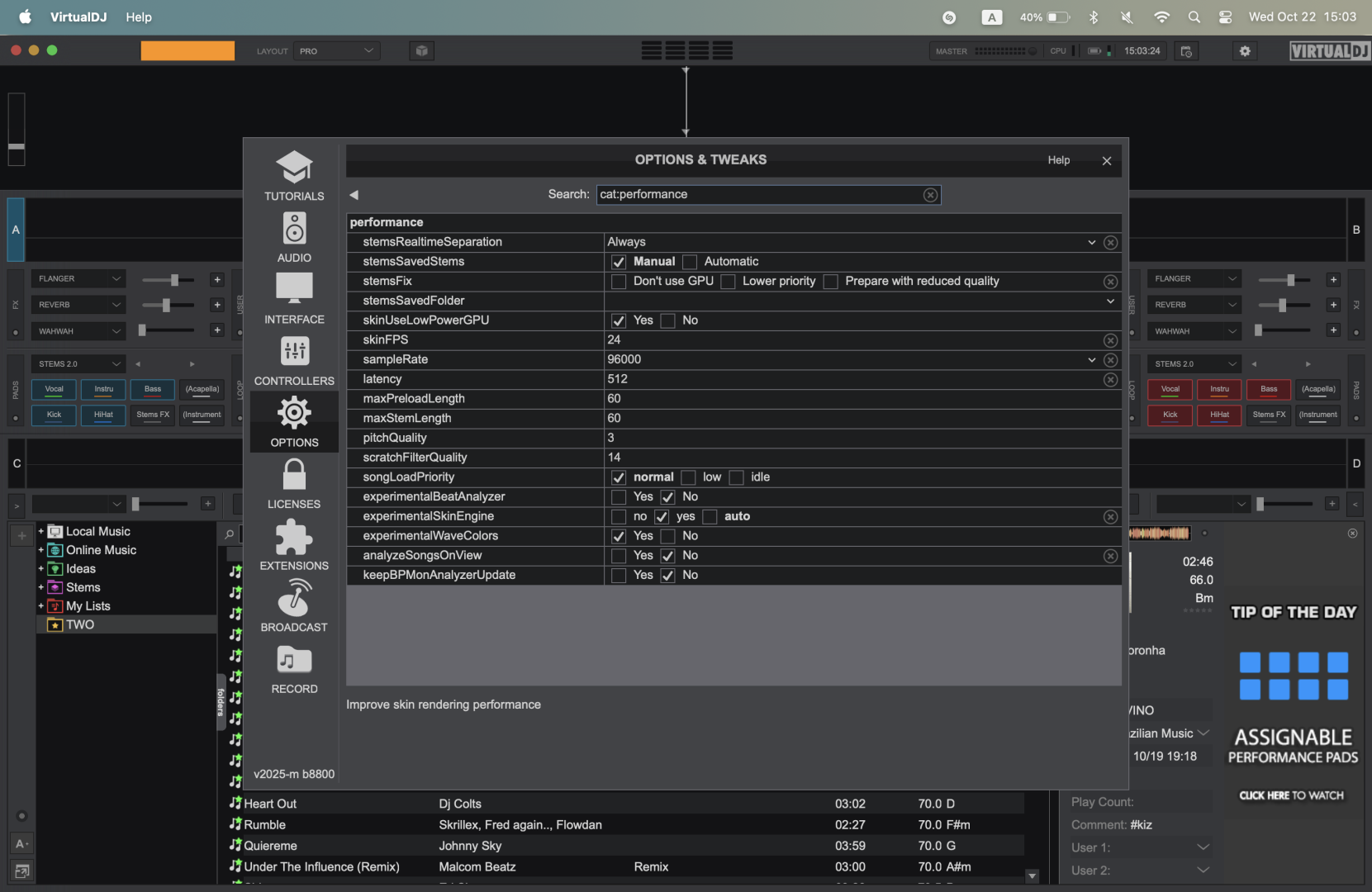
Are you using your custom skin Or the default skin ?
Default skin, also tried with other skins, many different performance settings...
Posted Thu 23 Oct 25 @ 6:01 am
still the same after this long
Posted Wed 08 Apr 26 @ 10:31 am
 DJ VinylTouch
hard bea7 wrote :
Web version gets hot & battery drains without controller plugged in.
Web version gets hot & battery drains without controller plugged in.
This alone shows there is an issue with your configuration.
I have an M1 MacBook and M4 Pro MacBook Pro and this doesn't happen at all with no device connected (I literally could sit for hours preparing songs in this configuration) and even in the heaviest of workflows (multiple controllers connected, one with a screen (DJM-S11 or DDJ-1000, broadcasting to radio via ShoutCAST, playing videos and recording audio to a FLAC file).
Perhaps post a link to the settings.xml you are using so the devs can take a look.
Posted Wed 08 Apr 26 @ 10:46 am
After the last few updates, VirtualDJ works normally with the FLX4, X1 MK3, Z1 MK2, Performer, XDJ AZ, CDJ 2000NXS2... and works normal no plugged in too
However, my Mac still gets hot and the battery drains when it’s plugged into the Traktor S5, S8, or D2
However, my Mac still gets hot and the battery drains when it’s plugged into the Traktor S5, S8, or D2
Posted Wed 08 Apr 26 @ 6:52 pm
Just tested with my new Macbook air M5, same issue
Posted Tue 21 Apr 26 @ 4:13 am
 Blulite
which macbook is it? i have a 2019 pro a21421 with really good spec and i have had a brand new battery installed, even without using vdj , when im just coding and multitasking my battery only lasts a couple of hours, you might want to check whats got background data/refresh enabled,. i have very little in the background and even with a brand new battery its life span on battery is pretty poor.
Posted Fri 24 Apr 26 @ 6:42 pm