


 hagi bagi
I bought the Virtual DJ Pro Infinity license. I paid $300. I downloaded the software to my Windows computer. I'm trying to connect to the software in every possible way, whether it's through email or through Google, but it's not working for me. It doesn't even give me the option to connect. I try to connect. I enter my email for example and it immediately says that it's impossible to connect, as well as with Google. What's his problem? Can you help me please?
Posted Sun 05 Apr 26 @ 11:25 am
hagi bagi
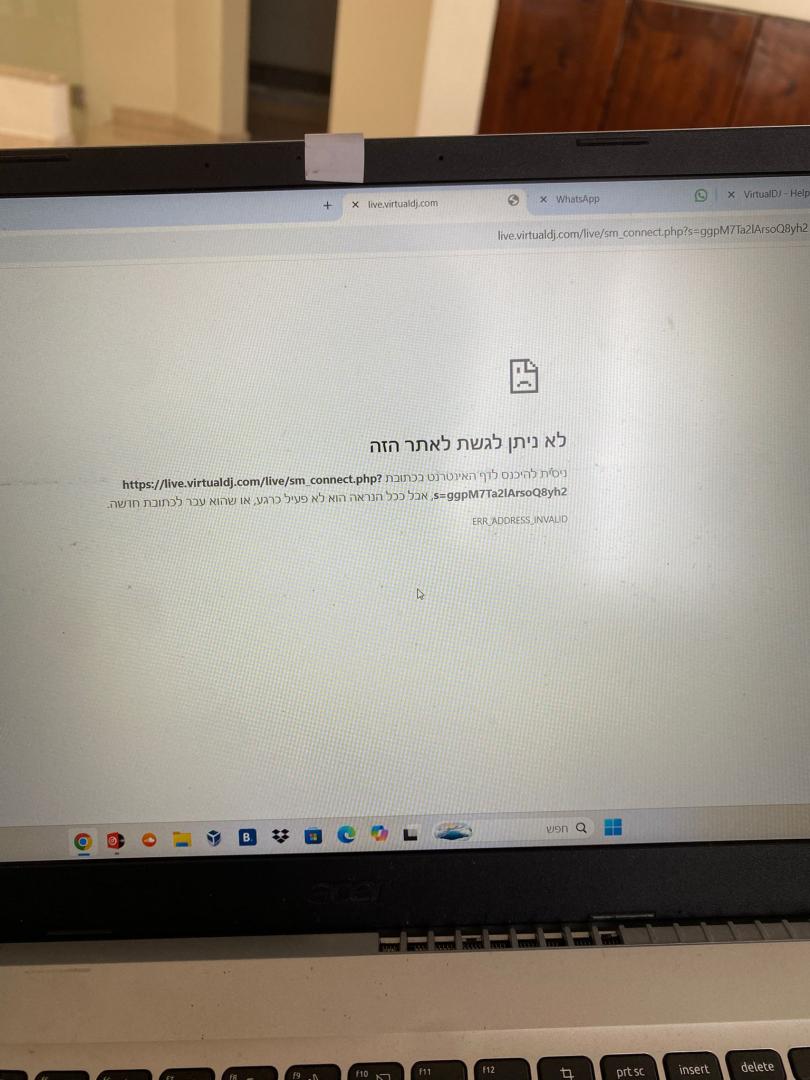
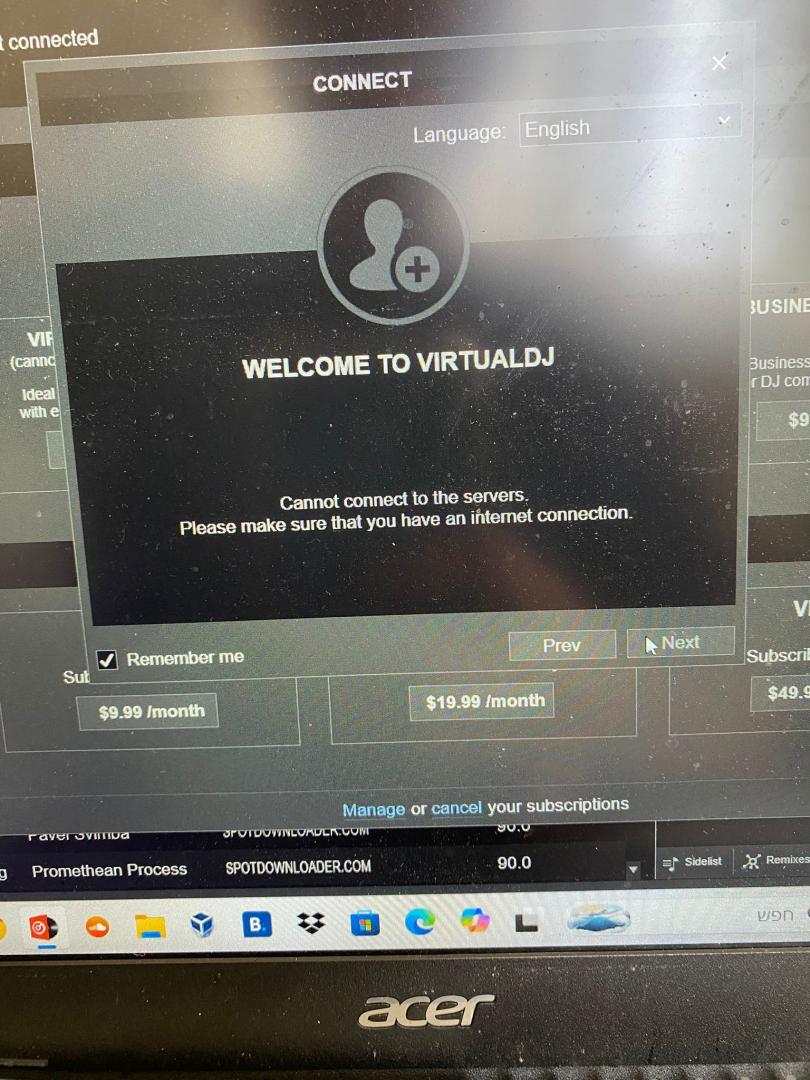
Posted Sun 05 Apr 26 @ 11:30 am
 IIDEEJAYII
check hosts file, troubleshooting from the wiki
https://virtualdj.com/wiki/checkinghostsfile.html
and/or check this thread:
https://virtualdj.com/forums/262042/VirtualDJ_Technical_Support/Unable_to_Login_on_Software.html
https://virtualdj.com/wiki/checkinghostsfile.html
and/or check this thread:
https://virtualdj.com/forums/262042/VirtualDJ_Technical_Support/Unable_to_Login_on_Software.html
Posted Sun 05 Apr 26 @ 11:45 am
Adion
It also looks like there have been some dns problems for some users lately, so you could try to use Google's DNS servers and see if that helps as well
https://developers.google.com/speed/public-dns/docs/using
https://developers.google.com/speed/public-dns/docs/using
Posted Sun 05 Apr 26 @ 11:48 am


Stephane Clavel

It could be that your ISP (Internet Service Provider) or your router, is not respecting the TTL (Time To Live) of our DNS, and is still caching some old value.
To check this, open the Windows command prompt (CMD+S and type "command prompt"), then type "nslookup live.virtualdj.com".
If the result is not 3.33.237.122 and 15.197.187.49, then the problem is with your ISP or router DNS.
The recommended solution as mentioned above, is to use the standard google DNS.
To check this, open the Windows command prompt (CMD+S and type "command prompt"), then type "nslookup live.virtualdj.com".
If the result is not 3.33.237.122 and 15.197.187.49, then the problem is with your ISP or router DNS.
The recommended solution as mentioned above, is to use the standard google DNS.
Posted Sun 05 Apr 26 @ 12:09 pm
Legaldj1
I posted about this yesterday in a separate thread. At some point after the first 2026 update, you cannot connect to the servers in Windows unless you change the DNS settings from automatic to manual. And this is not just for Windows 11, but also Windows 10. This occurred on 3 of my machines.
To fix, go into Control Panel, Network and Internet, View network status and tasks, click on the network on the right where it says "Access type Connections", Properties, Internet Protocol Version 4, Properties, change the automatic setting to "Use the following DNS server addresses", Preferred DNS server 1.1.1.1, Alternate DNS server 8.8.8.8, OK.
To fix, go into Control Panel, Network and Internet, View network status and tasks, click on the network on the right where it says "Access type Connections", Properties, Internet Protocol Version 4, Properties, change the automatic setting to "Use the following DNS server addresses", Preferred DNS server 1.1.1.1, Alternate DNS server 8.8.8.8, OK.
Posted Sun 05 Apr 26 @ 5:38 pm
 jeffpino
hagi bagi wrote :
I bought the Virtual DJ Pro Infinity license. I paid $300. I downloaded the software to my Windows computer. I'm trying to connect to the software in every possible way, whether it's through email or through Google, but it's not working for me. It doesn't even give me the option to connect. I try to connect. I enter my email for example and it immediately says that it's impossible to connect, as well as with Google. What's his problem? Can you help me please?
I'm experencing the same issues this evening. I'm not able to upload a podcast to my page here, I signed out, reinstalled software and no connection to the VDJ Servers. Jeff Pino
Posted Thu 07 May 26 @ 3:53 am
ladydjjean
I asked VDJ for help with my subscription to ContentUnlimited/IDPool for 15 years... and didn't get an answer. I posted my problem with message to connect to the internet. Thank you for the help from the Community, but I'm not technical enough to correct at this point even to try. My question, can anyone suggest a similar service... I just opened an account with soundcloud... any suggestions?
Posted Tue 26 May 26 @ 4:17 pm
 Cecelia Taylor-Hunt (CCTH)
I've been using Virtual DJ since 2020 and now, I'm getting the same problem. I've tried everything - from fixing the firewall and disabling the VPN to uninstalling and reinstalling the VDJ software.
Posted Fri 31 Jul 26 @ 4:10 pm
Cecelia Taylor-Hunt (CCTH)
Legaldj1 wrote :
I posted about this yesterday in a separate thread. At some point after the first 2026 update, you cannot connect to the servers in Windows unless you change the DNS settings from automatic to manual. And this is not just for Windows 11, but also Windows 10. This occurred on 3 of my machines.
To fix, go into Control Panel, Network and Internet, View network status and tasks, click on the network on the right where it says "Access type Connections", Properties, Internet Protocol Version 4, Properties, change the automatic setting to "Use the following DNS server addresses", Preferred DNS server 1.1.1.1, Alternate DNS server 8.8.8.8, OK.
To fix, go into Control Panel, Network and Internet, View network status and tasks, click on the network on the right where it says "Access type Connections", Properties, Internet Protocol Version 4, Properties, change the automatic setting to "Use the following DNS server addresses", Preferred DNS server 1.1.1.1, Alternate DNS server 8.8.8.8, OK.
Got it. Thank you!!!! This really helped me a lot!
Posted Fri 31 Jul 26 @ 4:24 pm