


 Axel D.
I'm trying to create a VDJ script for a custom button that will fade out a track, stop playback and reset the track:

(This is just an animation of what's supposed to happen. It's not working as expected yet.)
The script is supposed to run the following steps:
1. fade out for 4 secs
2. stop the deck
3. unload the deck
4. set volume level back to 100 %
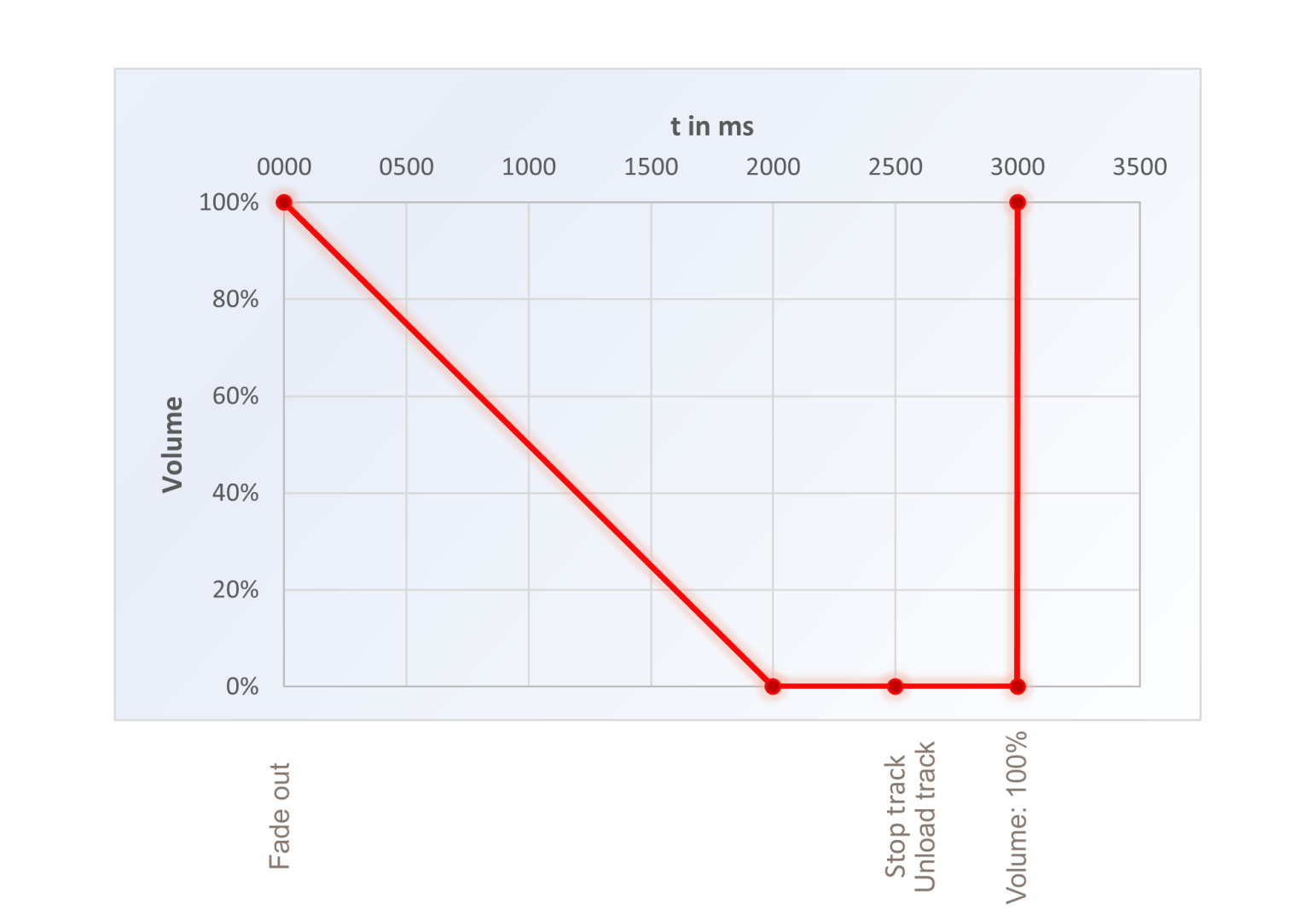
This is my current script:
fadeout 2000ms 2000ms & wait 4050ms & stop & level 100% & unload
But it doesn't work: The track is not fading out.
What am I doing wrong? What's the right command sequence?
(This is just an animation of what's supposed to happen. It's not working as expected yet.)
The script is supposed to run the following steps:
1. fade out for 4 secs
2. stop the deck
3. unload the deck
4. set volume level back to 100 %
This is my current script:
fadeout 2000ms 2000ms & wait 4050ms & stop & level 100% & unload
But it doesn't work: The track is not fading out.
What am I doing wrong? What's the right command sequence?
Posted Sun 01 Jun 25 @ 9:24 am
 kradcliffe
Are you specifiying the active deck?
Posted Sun 01 Jun 25 @ 9:37 am
 locoDog
Fadeout isn't a script linked or related to volume in anyway.
It's a query script for skins for a visual fadeout.
You want to use a a repeat_start script to get the results you want.
It's a query script for skins for a visual fadeout.
You want to use a a repeat_start script to get the results you want.
Posted Sun 01 Jun 25 @ 10:15 am
locoDog
repeat_start myFade 40ms 99 & level -1% & level 0.0 ? repeat_stop myFade & stop & unload & level 1.0 :
Posted Sun 01 Jun 25 @ 12:21 pm
Axel D.
Nice!
But it's only partially working: The track doesn't stop and unload when the volume level reaches zero:

But it's only partially working: The track doesn't stop and unload when the volume level reaches zero:
Posted Mon 02 Jun 25 @ 6:39 pm
locoDog
try change the 99 to 100
Posted Mon 02 Jun 25 @ 6:53 pm
Axel D.
Now it's working. Excellent! Thank you!
Posted Mon 02 Jun 25 @ 11:22 pm