


 Sosage_Fingas
Hello all.
I recently purchased both an Alpha Theta DDJ-GRV6 and a Pro licence with Virtual DJ to use it. I am using the two on a Windows PC.
The first day I used the combination of the two and everything appeared to work as expected. However, on the second day I found that the crossfader had stopped working.
Sliding the crossfader to the left or right does nothing to the music being played in decks 1& 2. Everything else appears to be working as expected.
I noticed that the issue appears to be specific to the DDJ-GRV6 as I tried to use Virtual DJ as a free version without the DDJ-GRV6 connected and the crossfader worked as expected.
WHAT I HAVE TRIED TO RESOLVE THE ISSUE
1). Confirmed that I have the latest version of firmware (1.02) installed
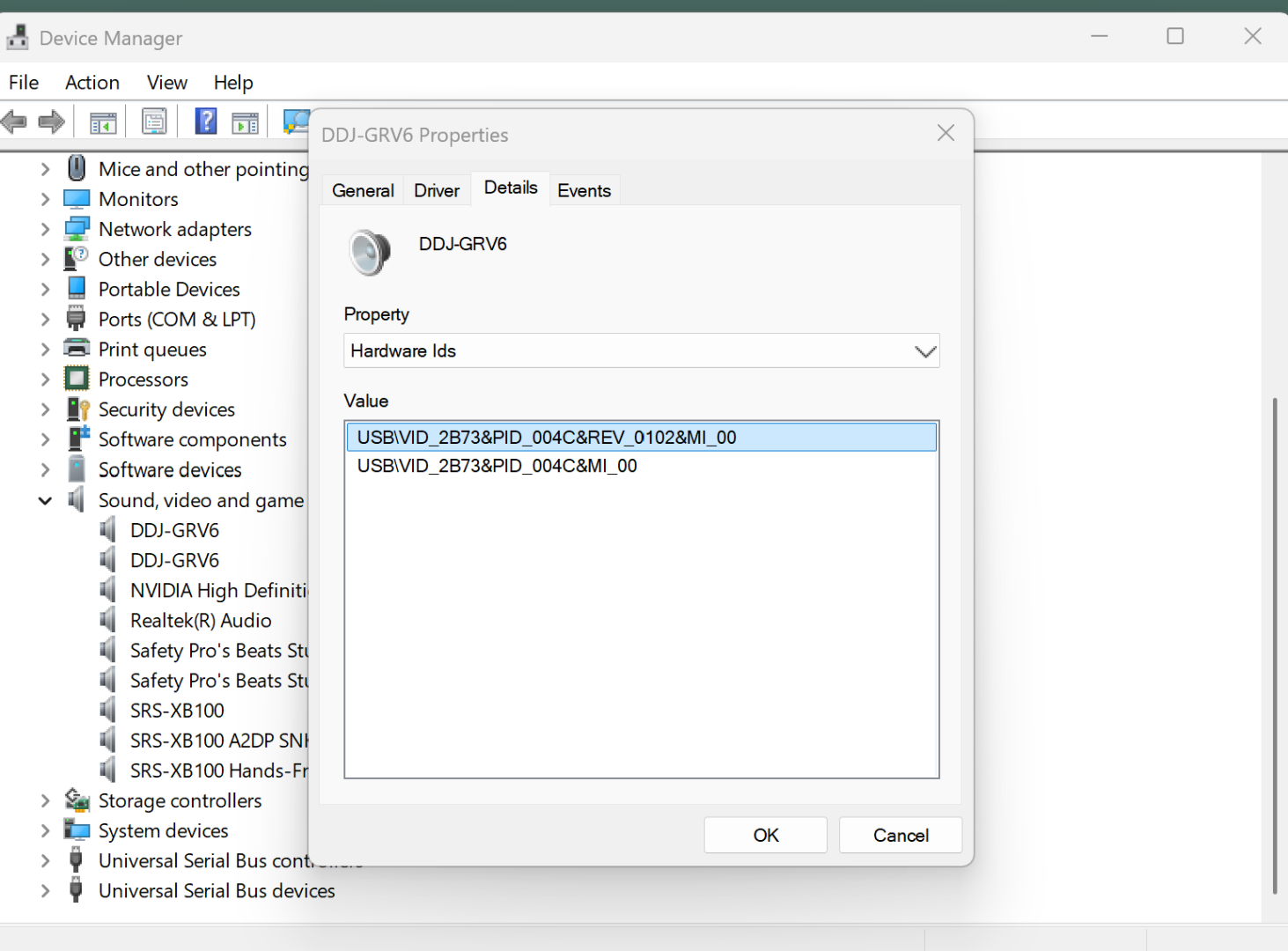
2). Checked the Audio settings - seems to be as it should be.
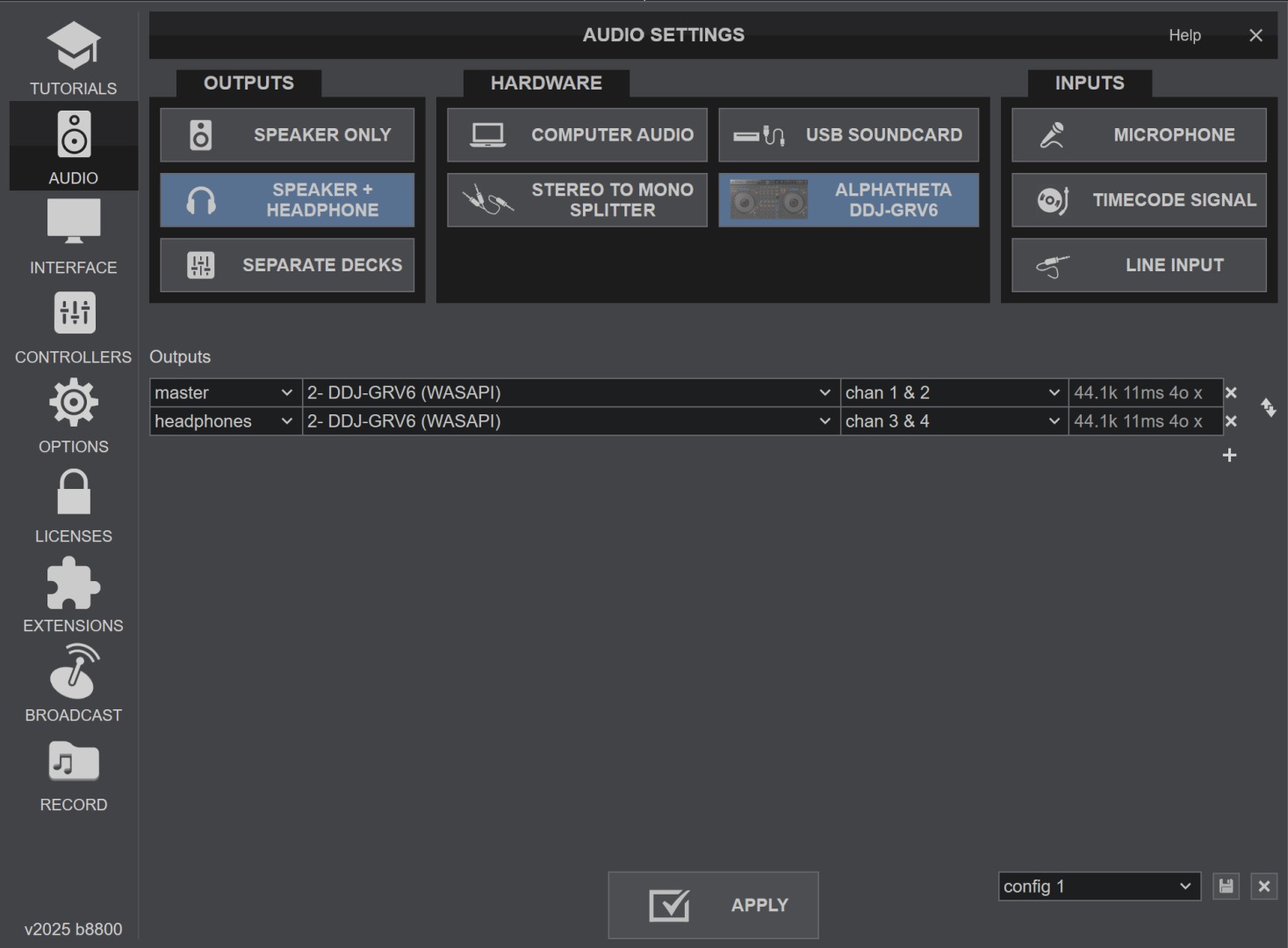
3). Checked that I haven't somehow deactivated the crossfader.
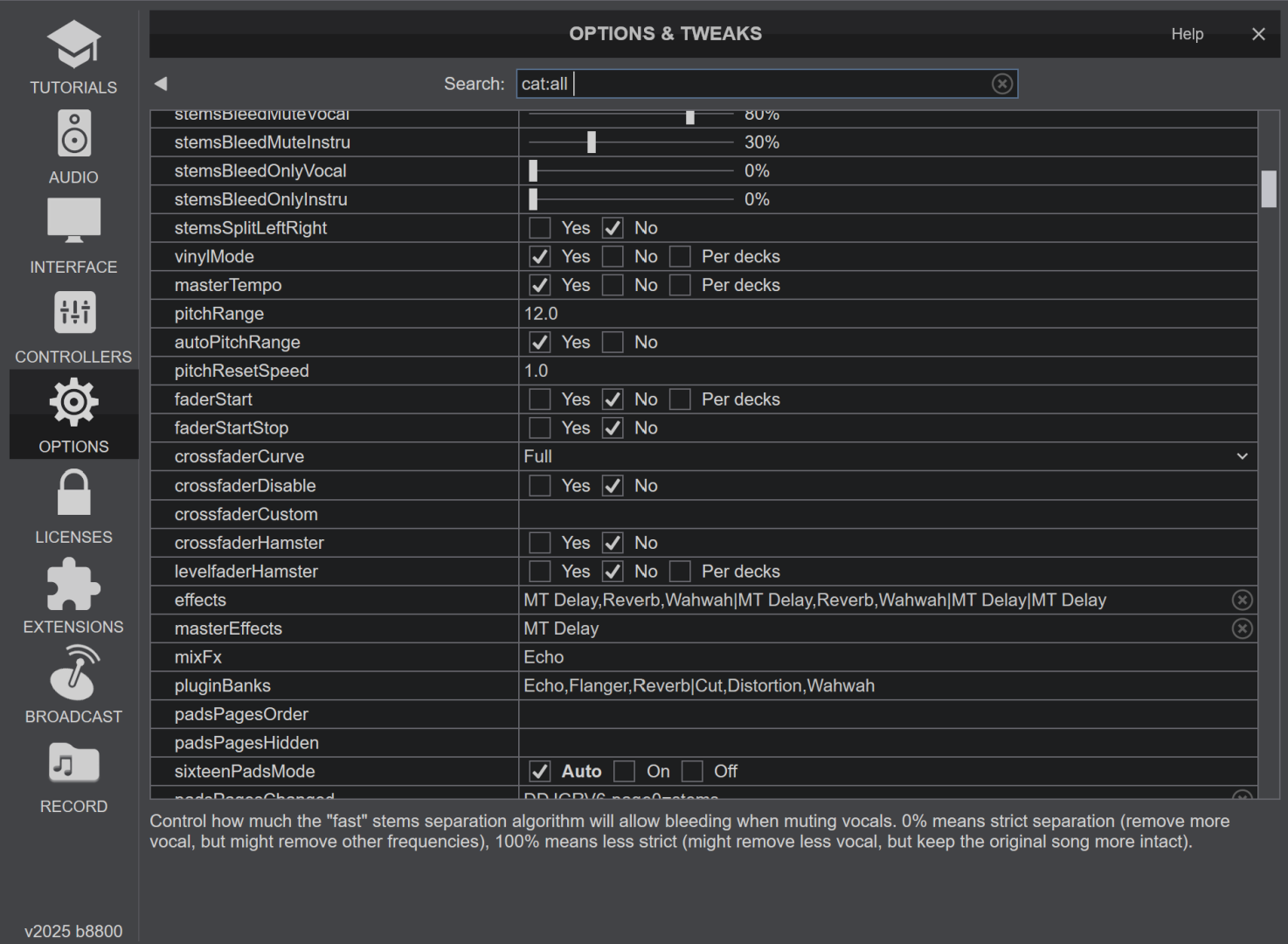
Its probably something simple, a rookie error. I have only had use of the unit for two days so am unsure about any other options or settings that could or should be edited or added.
Any help to resolve what is a crippling issue would be appreciated.
I recently purchased both an Alpha Theta DDJ-GRV6 and a Pro licence with Virtual DJ to use it. I am using the two on a Windows PC.
The first day I used the combination of the two and everything appeared to work as expected. However, on the second day I found that the crossfader had stopped working.
Sliding the crossfader to the left or right does nothing to the music being played in decks 1& 2. Everything else appears to be working as expected.
I noticed that the issue appears to be specific to the DDJ-GRV6 as I tried to use Virtual DJ as a free version without the DDJ-GRV6 connected and the crossfader worked as expected.
WHAT I HAVE TRIED TO RESOLVE THE ISSUE
1). Confirmed that I have the latest version of firmware (1.02) installed
2). Checked the Audio settings - seems to be as it should be.
3). Checked that I haven't somehow deactivated the crossfader.
Its probably something simple, a rookie error. I have only had use of the unit for two days so am unsure about any other options or settings that could or should be edited or added.
Any help to resolve what is a crippling issue would be appreciated.
Posted Wed 12 Nov 25 @ 4:02 am
Sosage_Fingas
UPDATE
I have also checked to ensure that default mapping is being used and that the crossfader's slider is being registered when used (you can see in the image I have moved the slider to 26% and that has been registered in the 'activity box').
So, I can move the slider back and forth it just doesn't have any effect.
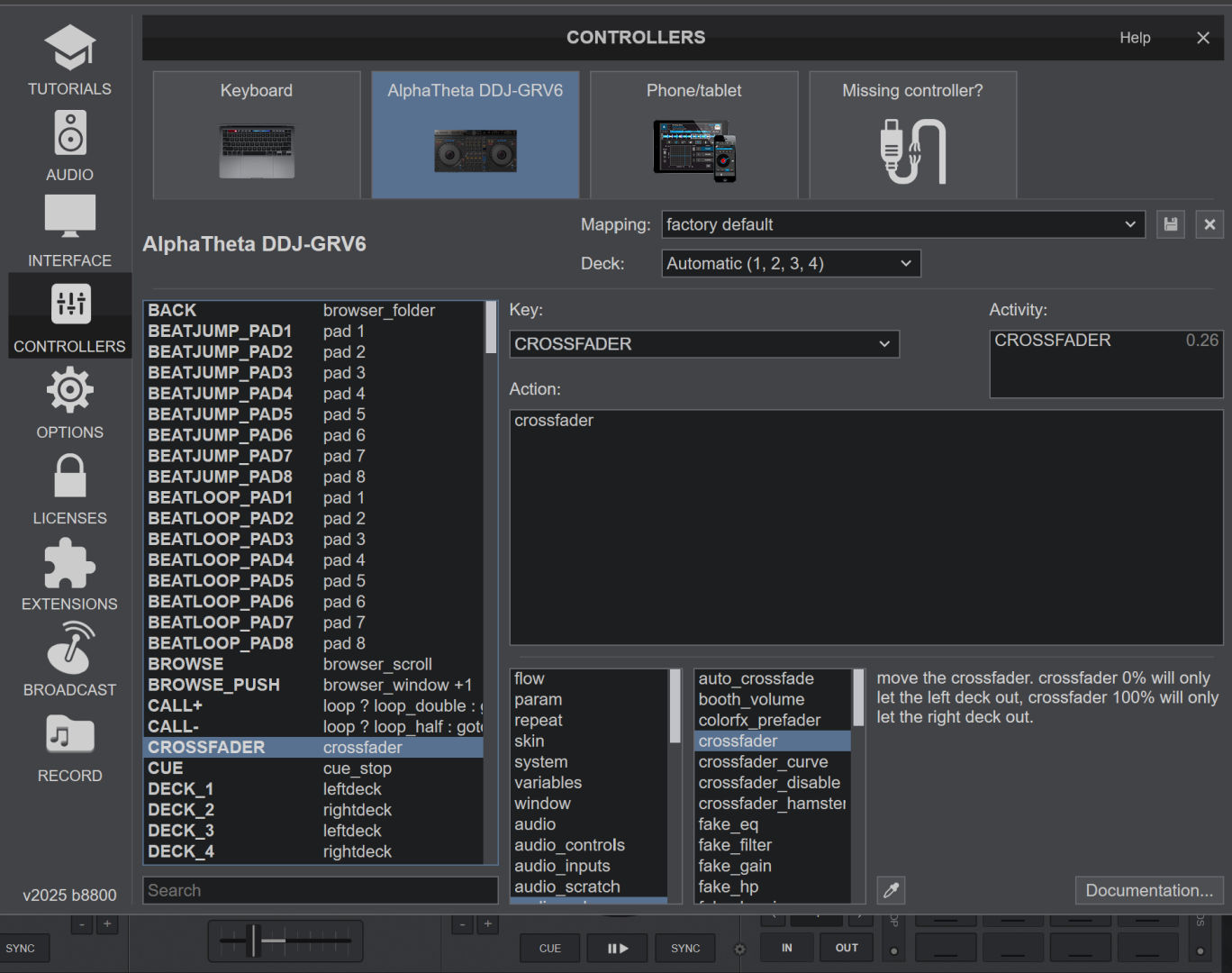
I have also checked to ensure that default mapping is being used and that the crossfader's slider is being registered when used (you can see in the image I have moved the slider to 26% and that has been registered in the 'activity box').
So, I can move the slider back and forth it just doesn't have any effect.
Posted Wed 12 Nov 25 @ 5:22 am
 DJ VinylTouch
What is the value of mixerOrder?
Posted Wed 12 Nov 25 @ 5:38 am
Sosage_Fingas
Hi DJ Vinyltouch, thanks for taking the time to lend some assistance. I appreciate it.
The mixerOrder is 3124
The mixerOrder is 3124
Posted Wed 12 Nov 25 @ 5:47 am
DJ VinylTouch
Given your mixerOrder is 3124, if you go to the pro skin layout and switch it to 4 decks, does the crossfader assignment look the same as what is listed under the 4 channel layout section of the user manual?
https://www.virtualdj.com/manuals/virtualdj/interface/mixer/audio.html
If not then change it to be like that (I think you can just click a deck letter on a side of the fader (left or right), and that allows the fader to fade to that deck when moved to that side).
https://www.virtualdj.com/manuals/virtualdj/interface/mixer/audio.html
If not then change it to be like that (I think you can just click a deck letter on a side of the fader (left or right), and that allows the fader to fade to that deck when moved to that side).
Posted Wed 12 Nov 25 @ 5:55 am
Sosage_Fingas
This is what it looks like when I select the Pro skin with the 4 deck layout. As you can see from the image below, there isn't any letters either side of the fader. There aren't any either side of the fader on the DDJ-GRV6 either.
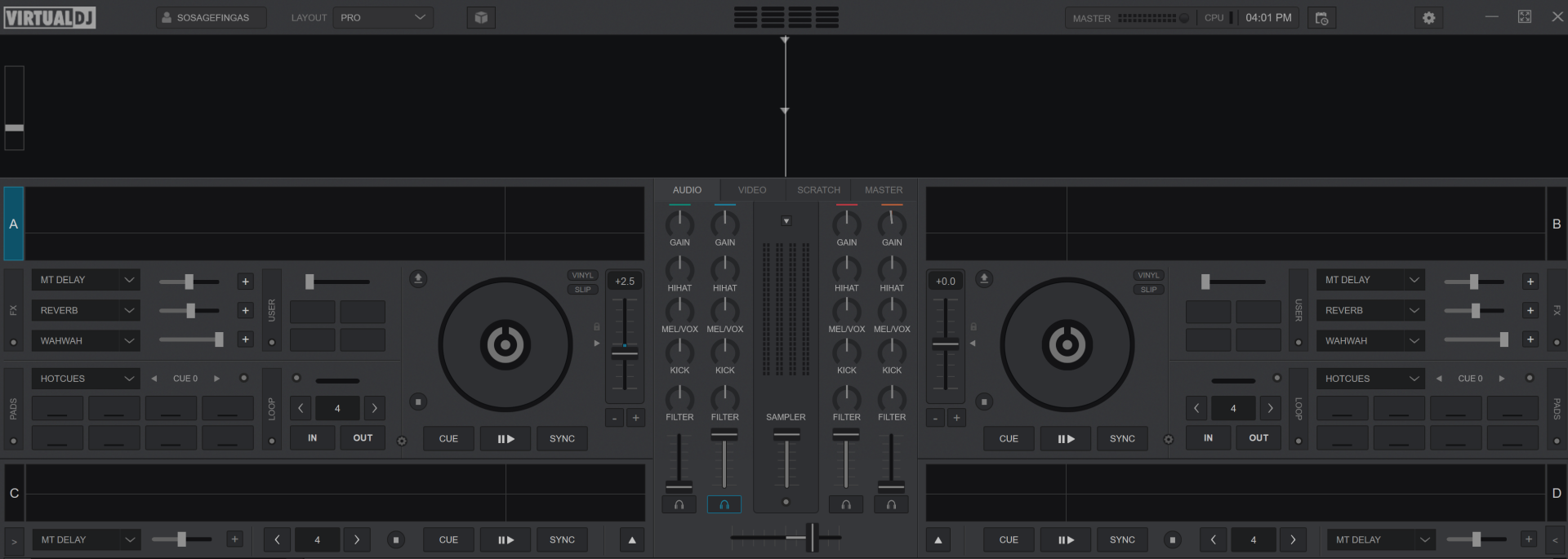
I have used AI to try to help resolve the issue. It points to using the utilities function ; however, in the manual it doesn't have anything that I can adjust to activate or set the fader in the utilities tool.
It also states that this is almost certainly an issue with the DDJ-GRV6 and that I should check to see if 'THRU' has been selected using the Utilities tool. The only problem with this is that the Utilities tool doesn't seem provide this information or access to this.
Any ideas on how I determine whether the settings for the crossfader on the DDJ-GRV6 are incorrect and responsible for the issue?
I have also just noticed that the volume faders don't do anything either. I play a song on deck two - pushing the volume slider up or down doesn't adjust the volume of the song up or down - it does nothing.
I have used AI to try to help resolve the issue. It points to using the utilities function ; however, in the manual it doesn't have anything that I can adjust to activate or set the fader in the utilities tool.
It also states that this is almost certainly an issue with the DDJ-GRV6 and that I should check to see if 'THRU' has been selected using the Utilities tool. The only problem with this is that the Utilities tool doesn't seem provide this information or access to this.
Any ideas on how I determine whether the settings for the crossfader on the DDJ-GRV6 are incorrect and responsible for the issue?
I have also just noticed that the volume faders don't do anything either. I play a song on deck two - pushing the volume slider up or down doesn't adjust the volume of the song up or down - it does nothing.
Posted Wed 12 Nov 25 @ 6:02 am
 djdad
djdad
See Nr.12 and 13 at https://www.virtualdj.com/manuals/virtualdj/interface/mixer/audio.html
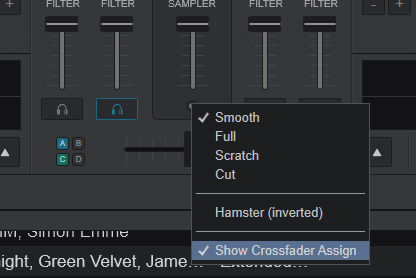
On the Left side, the CF Assign buttons A and C need to be enabled, while on the Right side B and D need to be enabled, to have the Crossfader properly mixing left/right Decks
On the Left side, the CF Assign buttons A and C need to be enabled, while on the Right side B and D need to be enabled, to have the Crossfader properly mixing left/right Decks
Posted Wed 12 Nov 25 @ 7:50 am
Sosage_Fingas
Hi DJDAD, thank you for helping out.
13. CROSSFADER ASSIGNMENT (Not displayed by default). The Crossfader Assignment is turned on and off in the Crossfader Options.
These buttons (ABCD) do not show up on my pro skin, as explained in number 13 above. However, I don't see 'crossfader options' anywhere where I can toggle it on and assign the decks.
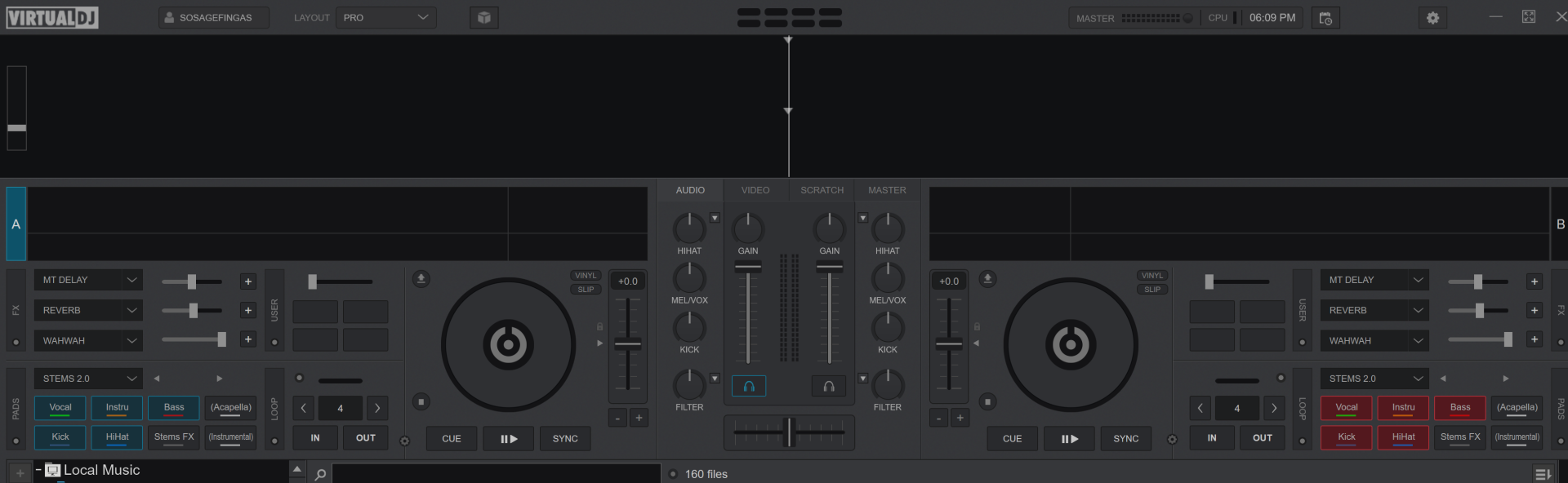
Any ideas on where I might find such an option?
13. CROSSFADER ASSIGNMENT (Not displayed by default). The Crossfader Assignment is turned on and off in the Crossfader Options.
These buttons (ABCD) do not show up on my pro skin, as explained in number 13 above. However, I don't see 'crossfader options' anywhere where I can toggle it on and assign the decks.
Any ideas on where I might find such an option?
Posted Wed 12 Nov 25 @ 8:18 am
 locoDog
4 deck skin
Posted Wed 12 Nov 25 @ 8:25 am
Sosage_Fingas
Thanks LOCODOG,
They are selected as seen in the image below. Crossfader and volume sliders still dont do anything.
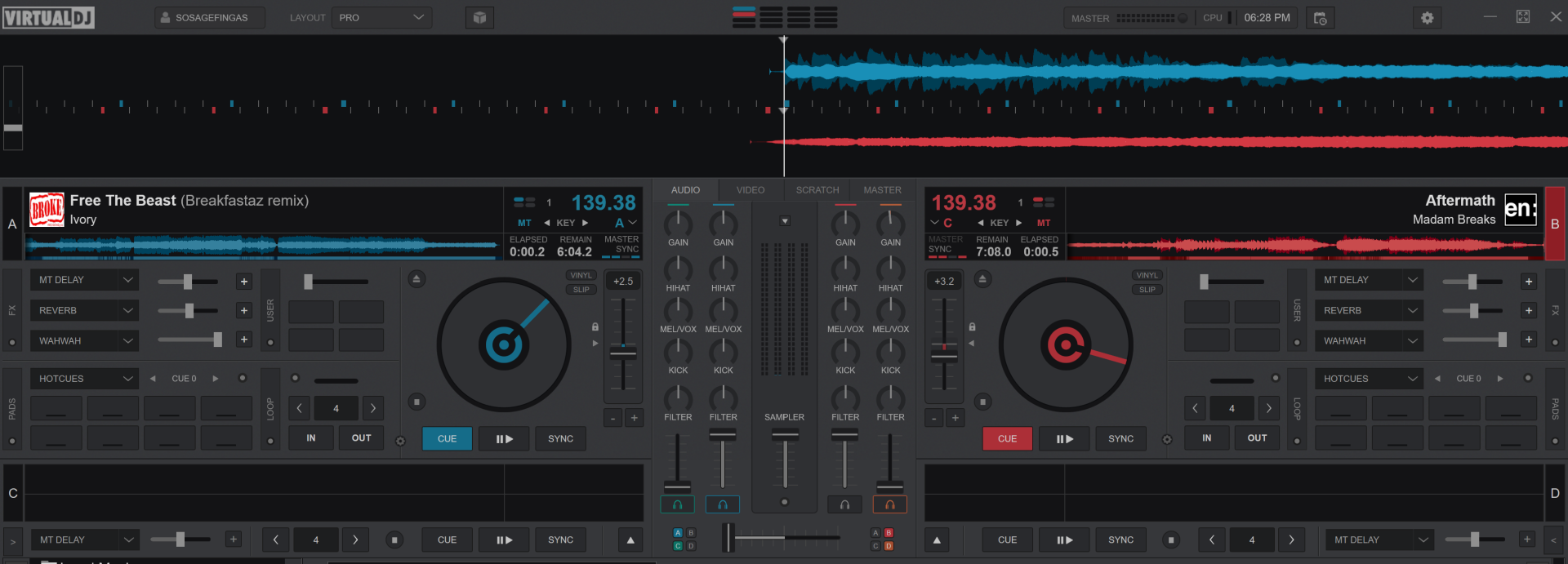
They are selected as seen in the image below. Crossfader and volume sliders still dont do anything.
Posted Wed 12 Nov 25 @ 8:30 am
locoDog
Sosage_Fingas wrote :
volume sliders...
You should have mentioned that earlier, close vdj, find your settings.xml file and rename it, then boot vdj and try again.
Posted Wed 12 Nov 25 @ 8:54 am
Sosage_Fingas
Hi LOCODOG,
Is this the file you are referring to :
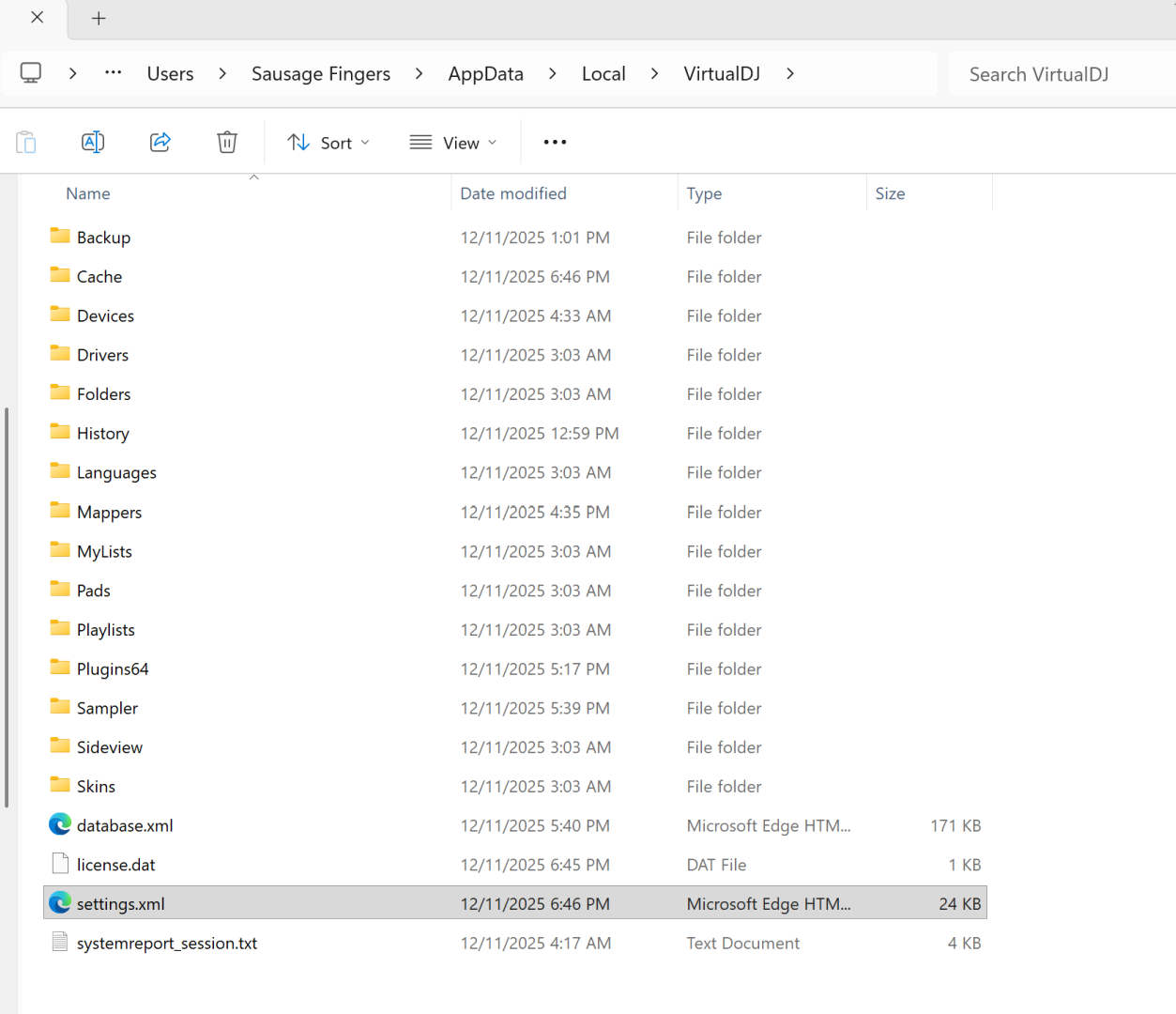
Path was : C - Users - Username - AppData - Local - VirtualDJ
I renamed this file 'VDsettings.xml' and tried again - no luck. It looks like a new 'settings.xml' was created so i now have both the VDsettings.xml and settings.xml
Is this the file you are referring to :
Path was : C - Users - Username - AppData - Local - VirtualDJ
I renamed this file 'VDsettings.xml' and tried again - no luck. It looks like a new 'settings.xml' was created so i now have both the VDsettings.xml and settings.xml
Posted Wed 12 Nov 25 @ 9:00 am
djdad
Yes, thats the one.
Yes, when VDJ opens and no settings.xml found it re-creates a new one with the factory default values. It's more or less the same as "Reset All" button in the OPTIONs tab of VirtualDJ Settings.
In case it doesnt help, it might be related to your audio Setup and Master & Headphones channels somehow being mixed, so you hear on Master whatever Deck is PFLed too.
With your GRV6 connected to USB, open your Windows Sound setitings and put your computer's builtin sound card as default (or any other sound card but not the GRV6)
Then open VirtualDJ, apply the Correct/Default Audio Setup as the pic you posted above, and see if the issue persists.
Yes, when VDJ opens and no settings.xml found it re-creates a new one with the factory default values. It's more or less the same as "Reset All" button in the OPTIONs tab of VirtualDJ Settings.
In case it doesnt help, it might be related to your audio Setup and Master & Headphones channels somehow being mixed, so you hear on Master whatever Deck is PFLed too.
With your GRV6 connected to USB, open your Windows Sound setitings and put your computer's builtin sound card as default (or any other sound card but not the GRV6)
Then open VirtualDJ, apply the Correct/Default Audio Setup as the pic you posted above, and see if the issue persists.
Posted Wed 12 Nov 25 @ 9:06 am
Sosage_Fingas
Hi DJDAD,
I switched from:
Line
2- DDJ-GRV6
to
Realtek Digital Output
Realtek (R) Audio
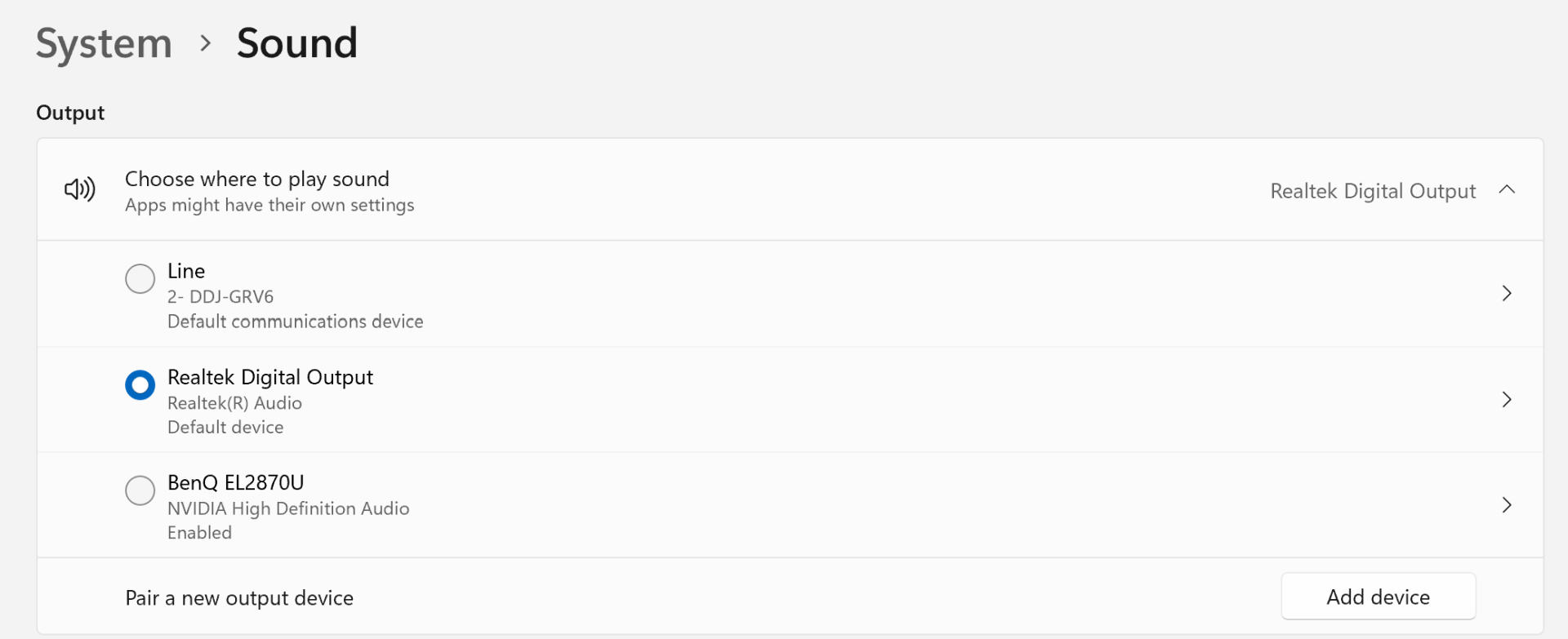
Restarted Virtual DJ - no change.
I am starting to think that I have a faulty device that will need to be returned for a refund. This is a brand new device that should be 'plug & play'. The fact that it has issues and there doesn't seem to be a simple, known fix for this is alarming.
I switched from:
Line
2- DDJ-GRV6
to
Realtek Digital Output
Realtek (R) Audio
Restarted Virtual DJ - no change.
I am starting to think that I have a faulty device that will need to be returned for a refund. This is a brand new device that should be 'plug & play'. The fact that it has issues and there doesn't seem to be a simple, known fix for this is alarming.
Posted Wed 12 Nov 25 @ 9:33 am
DJ VinylTouch
It is more likely that there is something wrong with your audio configuration, rather than your device being faulty.
You've already proven that the crossfader registers MIDI activity (you saw activity in the Activity Monitor window), and you can probably prove that for the upfaders too in the same way, so the problem is most likely your Audio configuration.
You also didn't follow the instructions @djdad/@locodog gave to you.
As an added step to verify whether or not your config is wrong, as long as you did step 1), download Rekordbox or Serato and just try dragging + playing tracks on all decks. If the controller works normally there, then it proves nothing is wrong with the controller itself (and something is wrong with your VirtualDJ configuration).
You've already proven that the crossfader registers MIDI activity (you saw activity in the Activity Monitor window), and you can probably prove that for the upfaders too in the same way, so the problem is most likely your Audio configuration.
You also didn't follow the instructions @djdad/@locodog gave to you.
- Ensure that Windows itself is not using your soundcard as the default.
That means ensuring the GRV6 soundcard is not selected in any form at the OS level for sound playback (only VirtualDJ should be used).
You might also try setting exclusiveAudioAccess=true - After you ensure 1) is done, go back to the audio settings tab in VirtualDJ and reapply that audio config
Make sure it's exactly as described in the Hardware Manual.
Also see the Audio Setup section of the user manual for details of how to reapply the audio config.
[/url]
As an added step to verify whether or not your config is wrong, as long as you did step 1), download Rekordbox or Serato and just try dragging + playing tracks on all decks. If the controller works normally there, then it proves nothing is wrong with the controller itself (and something is wrong with your VirtualDJ configuration).
Posted Wed 12 Nov 25 @ 12:02 pm
Sosage_Fingas
RE: you also didn't follow the instructions @djdad/@locodog gave to you.
Sorry, I thought that I was following them. I tried remove the DDJ-GRV6 as the output device (see previous post). I am sorry if I am not understanding the instructions.
When you say: Ensure that Windows itself is not using your soundcard as the default.
That means ensuring the GRV6 soundcard is not selected in any form at the OS level for sound playback (only VirtualDJ should be used).
Is this what you are referring to:
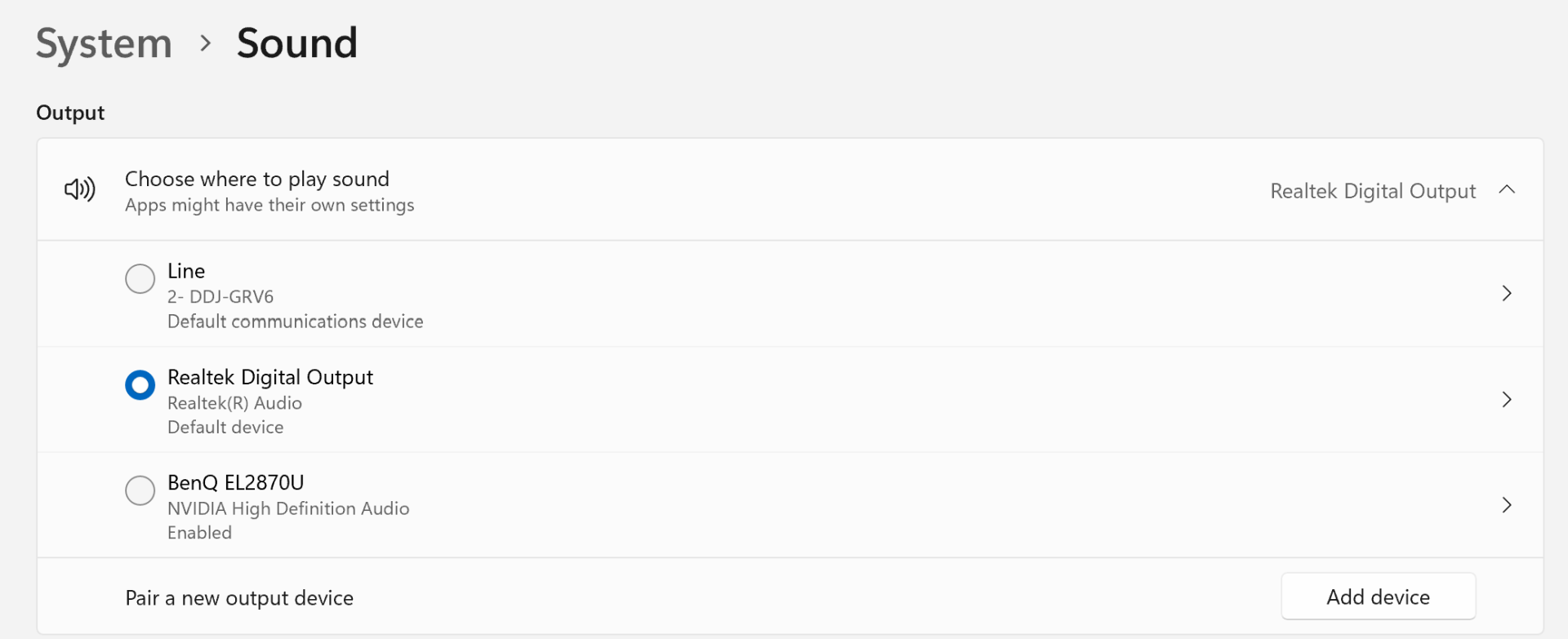
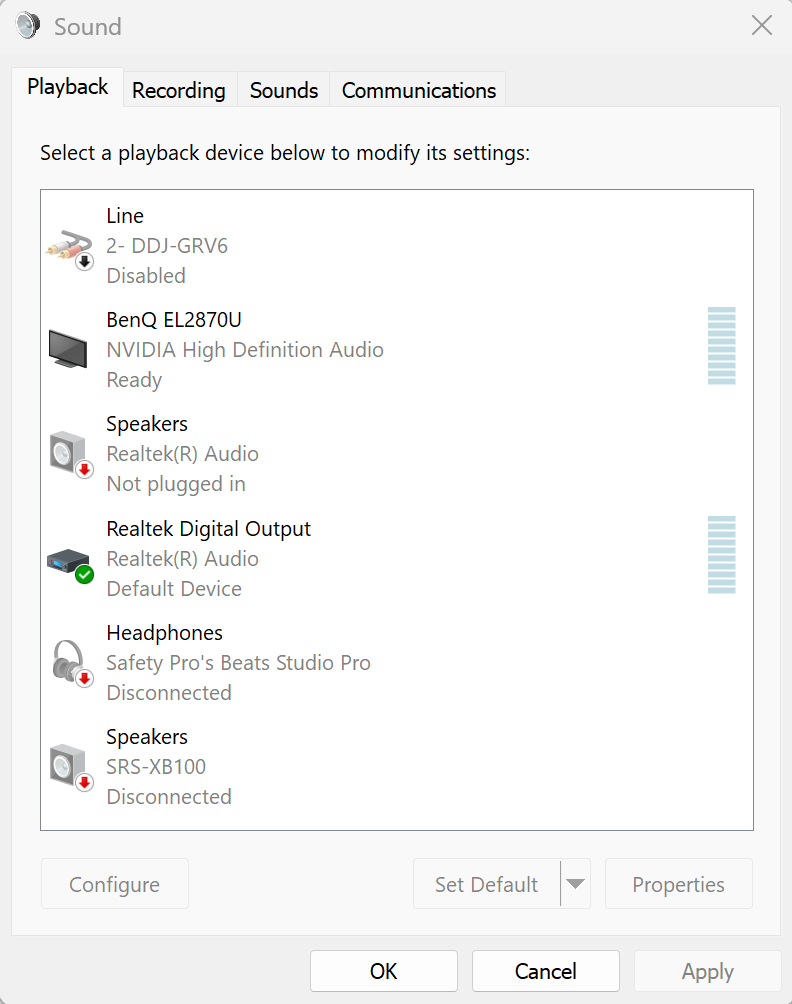
I disabled the DDJ-GRV6 as it was set as the default and selected the Realtek Digital Output.
Sorry, I thought that I was following them. I tried remove the DDJ-GRV6 as the output device (see previous post). I am sorry if I am not understanding the instructions.
When you say: Ensure that Windows itself is not using your soundcard as the default.
That means ensuring the GRV6 soundcard is not selected in any form at the OS level for sound playback (only VirtualDJ should be used).
Is this what you are referring to:
I disabled the DDJ-GRV6 as it was set as the default and selected the Realtek Digital Output.
Posted Wed 12 Nov 25 @ 12:20 pm
Sosage_Fingas
UPDATE
I downloaded Recordbox and without adjusting any settings I tried playing a couple of tunes. I tested the crossfader and volume sliders and found that they worked. I had my Beats Studio Pro connected via Bluetooth so there was a little bit of lag and the crossfade curve felt like it needed adjusting, but it worked.
This is my Windows sound configuration at the time of using Recordbox
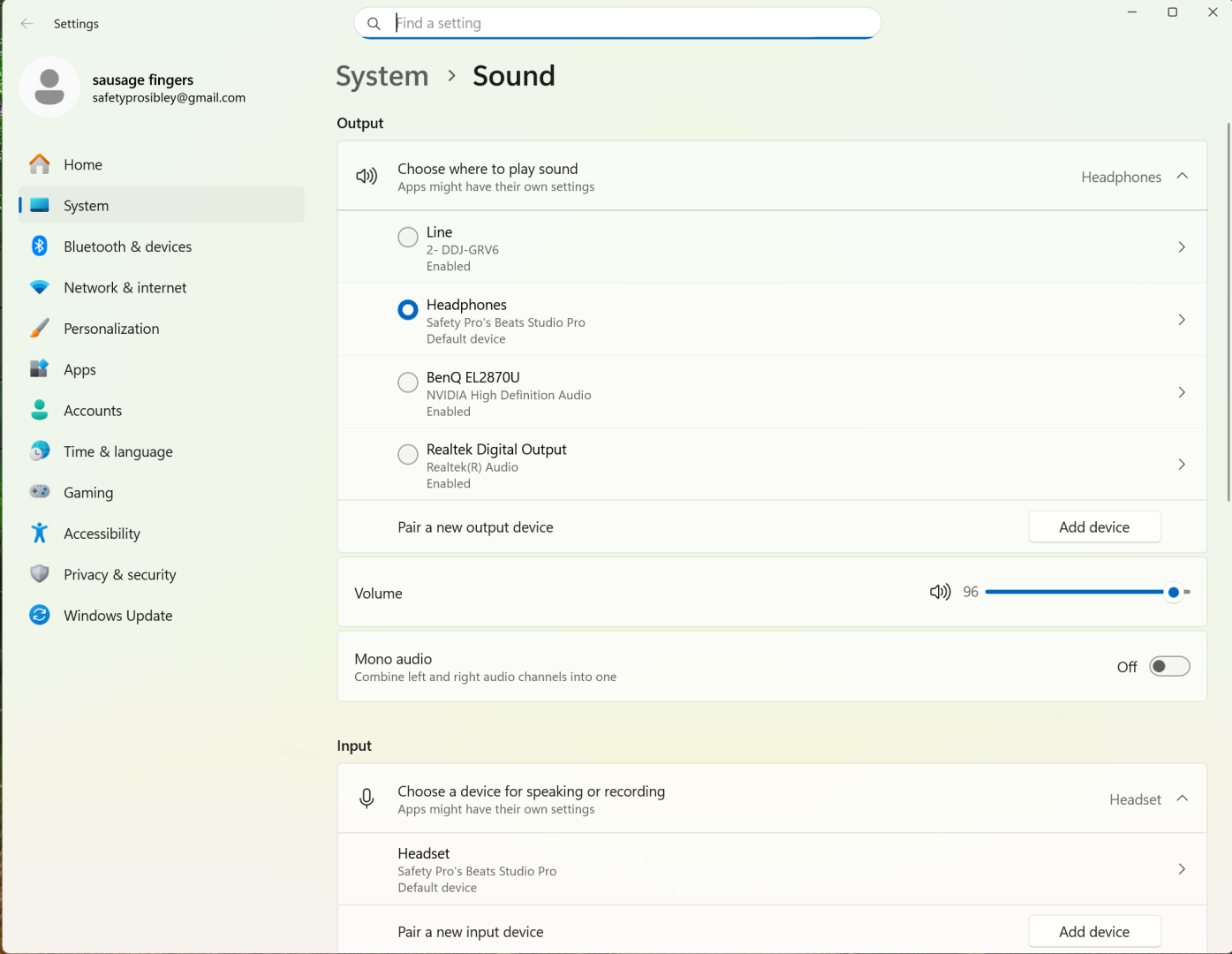
I then connected the DDJ-GRV6. When the pop-up box appeared advising that a new device had been detected, instead of selecting the DDJ-GRV6, I selected the Computer. I then tested a tune and found that both the crossfader and volume sliders were now working.
I want to advise that the issue is now resolved.
Thank you to Locodog, DJ VinylTouch, and DJ Dad for taking the time to lend some assistance. I appreciate it.
I downloaded Recordbox and without adjusting any settings I tried playing a couple of tunes. I tested the crossfader and volume sliders and found that they worked. I had my Beats Studio Pro connected via Bluetooth so there was a little bit of lag and the crossfade curve felt like it needed adjusting, but it worked.
This is my Windows sound configuration at the time of using Recordbox
I then connected the DDJ-GRV6. When the pop-up box appeared advising that a new device had been detected, instead of selecting the DDJ-GRV6, I selected the Computer. I then tested a tune and found that both the crossfader and volume sliders were now working.
I want to advise that the issue is now resolved.
Thank you to Locodog, DJ VinylTouch, and DJ Dad for taking the time to lend some assistance. I appreciate it.
Posted Thu 13 Nov 25 @ 5:17 am
djdad
Well, the difference between the 2 pics of Windows Sound Settings, is that on your 1st attempt you somehow "disabled" the GRV-6 sound card, while on the 2nd one, i see that "enabled"
Anyways, glad u sorted it out.
Anyways, glad u sorted it out.
Posted Thu 13 Nov 25 @ 7:41 am
 schmidi_0
My REv5 has randomly lost midi connection during gigs as well [audio will still play but required unplug/replug of USB]. Perhaps a Pioneer/Alpha Theta issue?
Posted Fri 14 Nov 25 @ 3:29 pm